Our Community is in read-only mode until April 8th, learn more here. You can still search existing threads or get help via Dropbox Support, the Dropbox Help Center, or Learn.
Mac
53 Topics
When I open my files in Dropbox via dropbox.com, I can't edit them
When I open my files in Dropbox via dropbox.com, I can't edit them.... I don't get any message, but it seems they are converted into pdf files - when I had them on my Mac, they weren´t. I just uploaded all files from my Mac, since they would not syncronice.. (thats another problem, which I believe has a solution I don't really understand from your explanation at the site. RikkeSolved40KViews2likes11Comments
Why is the Dropbox Desktop App no longer available?
The dropbox desktop app had such a great user interface and was a good workflow for our team.. unfortunately as of 17 Jan 2022, it has been dropped.. I wonder why this change was made, and i'm just hoping the application is being improved instead of being killed. What we enjoyed out of the desktop app was the ability to pin specific files to the main dropbox for quick access, which everyone was able to identify quickly. with the Finder app, it was hard to see pinned items, and with the website, its a redundant process – requiring lots of extra steps – having to open up the website to identify the folder before pinning them. the website does not give as much visual cues as the desktop app previously had. Please, dropbox, #bringitback!Solved23KViews25likes84Comments
A bunch of my files went to Zero Bytes on Mac
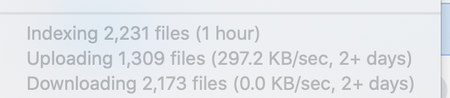
I'm a videographer, and last week I took and copied around 700gb of footage. I imported them all locally to a folder in the root of my Dropbox. I ended up changing the location of this folder in Dropbox, and now around half of the files that I could previously open are showing Zero Bytes on both Dropbox.com and in Finder. These files are pretty large (20gb a piece) , and I hadn't been able to sync all of them online yet before this happened. My desktop app still says Syncing 6000+ files, but I'm wondering if there is any chance of recovering the data. It does say it is indexing a ton of files too. Will they eventually come back?Solved15KViews1like6Comments
Dropbox Cache taking up too much space
Hi everyone, I seem to be having a significant issue with my dropbox, specifically cache. Over the past week, I noticed that the storage available on my mac had dropped from 63GB to 4GB (of a 128GB SSD). After some digging, I found that the cache was the cause of this. I tried deleting it once I found it to be the cause of me losing storage rapidly, and initially storage went back to normal. However, the next day, it seemed like every minute another GB was being taken up by the cache. Again, I tried to delete the cache, but as expected, the next day the same thing happened. I know that dropbox clears the cache automatically every 3 days, but right now dropbox doesn't allow me to sync as I now have less than 1024MB remaining on my hard drive, and I am not sure if after those 3 days the same thing will happen. Please help me Thanks, DanielSolved7.3KViews5likes5Comments
Can I customize the icon for my Dropbox Folder on my Mac?
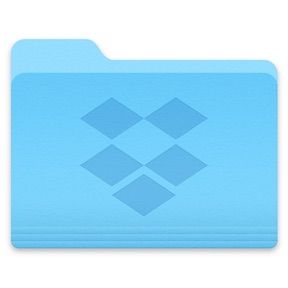
I like to customize the icons for my folders. I can't seem to do that with the main Dropbox folder that looks like this: I see a large number of custom icons for Dropbox folders with a google search, so I assume there must be some way to customize the icon, but I haven't figured out. I am running Mac OS 10.15. Any suggestions?7KViews2likes8Comments
File search issues with beta for Mac
I just installed the beta version a few days ago. I use Alfred as a superior alternative to Spotlight to search files etc. since installing the beta Alfred can’t find files in my Dropbox folder. I have talked to their customer support but they say it’s an issue with Dropbox and not them. Anyone having weirdness with file search using third party apps post upgrade to the Mac beta?Solved6.1KViews3likes38CommentsI can't delete a locked shared folder on my Mac device, which I've been removed by the owner
Hi, I have a shared folder in my mac dropbox that is locked by the person who shared it with me. Some time ago I asked him to remove me from the shared list which he did however I am unable to delete the folder from my dropbox app on my mac. The folder is not in my dropbox online or on my iPhone or iPad, only on my MacBook. The file won't sync; consequently, the dropbox app won't upgrade or update. It is always trying to sync this locked folder. I've tried following the instructions on deleting a shared folder by holding the option key down while deleting from the finder but the option to delete is greyed out. Any help is greatly appreciated. If I can't get this resolved I'm ready to dump dropbox and move to another provider.5.8KViews0likes40CommentsSyncing documents folder in Mac OS 10.14
So now that Dropbox has decided to FUBAR the way we use symlinks in dropbox, I am left wondering how to sync my "Documents folder. I am willing to move the folder into Dropbox, however, it seems that isn't possible as I can only copy it over and am left with two copies as I can't delete the original folder. I also would like to create a symlink in my user folder to replace the documents folder. Does anyone have any suggestions as to how to make this work?Solved5.5KViews0likes6Comments
New Drobox app is terrible!
If I wanted to look at the latest files uploaded to my dropbox, I'd click on the dropbox icon in my menubar (Mac OS) and click on the folder containing the file that was last uploded as the folder tree was right under the file name. On top of that I could right click the file name in the app, copy a link to these files and share it with whatever app I wanted to as the link was now in my clipboard. I could also go to folder the file was in simply by clicking the name of it etc etc and now ALL I can do is open the file. Who makes these incredibly stupid and unintuitive design decisions? ADD functionality, don't remove it.Solved5.2KViews9likes20Comments