Our Community is in read-only mode until April 8th, learn more here. You can still search existing threads or get help via Dropbox Support, the Dropbox Help Center, or Learn.
Web
45 Topics
I'm getting an error when loading Paper documents on the Dropbox site
Is anyone else having trouble opening documents in Paper? I just wanted to review a couple to determine if I was scrapping the associated projects or saving them, but the site keeps giving me errors when I try to open them. :/ I know the general... everything around Paper has been declining over the last couple years, but this is a new one for me. The error states: "How embarrassing… We experienced an error trying to load the current page." I've already emailed support, but curious how widespread it is and if it's just one more sign to abandon ship.108Views0likes2Comments
Word document's format created on the web, doesn't seem the same when viewing using the desktop app.
I am having issues with formatting NOT remaining the same from when I create a Word document locally (and saved on Dropbox app) to once it is being edited in Word for the Web. I have noticed that specific "Style" formatting in Word for Web doesn't match the formatting when viewing the document in Word itself. Is there a way to update the styles formatting in the Word for Web to match the styles formatting in Word desktop? E.g. When in my local Word app, I use Styles set to Palatino Linotype for HEADING 1, 2, 3. All of my body text is also Palatino Linotype (Normal). My Table of Content also is showing correctly in Palatino Linotype. When I open the same document in Word for Web all of my headings (1,2, and 3) get converted to Calibri. My TOC also changes to Calibri as does my body text for bulleted lists. This is massively problematic when I or anyone else goes to edit the document in Word for Web as it looks like the formatting is wrong. However, if anyone was to open it on their desktop it would look as it should. How do I get the Word for Web formatting to match what I see and do on desktop? Note: I use Chrome on a Mac. When I open Word for Web I see the option to use Palatino Linotype but even if I revise the formatting in Word for Web with Palatino L. it will convert back to Calibri at some point due to other edits made. Basically, the option to use Palatino L. is there but it doesn't want to stay that way.Solved3.2KViews0likes1Comment
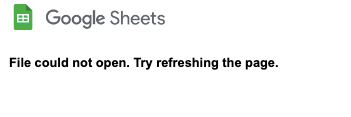
Error that the file couldn't be opened when accessing Google sheets document online.
Hi, I'm encountering a problem while using Google sheets that's integrated with Dropbox. It used to be fine, but when I tried to open it today, the page refused to load and the message that I got is "File could not open. Try refreshing the page". I already tried to refresh the page several times, but it wouldn't work. I even tried to copy the file and open the copy -- but again, to no avail. This happened to my several other Google sheets documents as well. What do you think is happening and what should I do now? I'm afraid that it will affect my other Google documents since I'm using the Google-Dropbox integration quite often. I'd appreciate any help, thanks!Solved25KViews0likes46Comments
Cookie preferences icon blocking functionality in Excel for the web spreadsheets
icon recently appeared in the bottom left hand corner of excel for web sheets when accessed through dropbox. despite choosing and saving cookie preferences the cookie doesnt go away, and blocks the ability to toggle left through excel sheet tabs . Is there a way to remove this cookie icon?Solved504Views0likes17Comments
Dropbox Passwords app does not send notifications to allow new device
Trying to log into my Dropbox passwords app….will not send notification to any device or computer to allow log in. Something glitched in their system the other day. Logged me out of all my account. I now cannot log back in. I can log into Dropbox, but not Dropbox passwords. Notifications to allow access to Dropbox passwords is not working. No way to log back into my passwords account. Won’t allow me to log into Dropbox passwords via desktop either….so frustrating!!13KViews2likes69CommentsDropbox Microsoft Office Online not working: Clicking "Open in Word for Web" results in preview
I'm having trouble getting Microsoft Office Online to load properly. When I open a *.docx document as the preview and choose "Open with Word for Web" my browser opens a new tab and the loads the same *.docx file in the preview mode. If I go to the same dropdown and click "Open with Word for Web", it opens yet another tab that also ends up being the same preview folder. The Word for Web loads properly if I use the DropBox browser interface to create a new document. However when I close it, I am back to the original situation where if I try to open it with Word for Web it only loads a new tab in the preview view. Can somebody help me get this working again? This situation started suddenly and is new to me.Solved2.7KViews0likes12Comments
Walmart Photo Canada site says "not logged in" for synching with my Dropbox
Hello! I am so hoping someone can help me! I use the Walmart Photo Canada site and upload photos weekly for printing so I can do next day pick up at the location. For weeks now (6? 7?) it has not worked in allowing me to access my Dropbox at all. Keeps telling me I am not logged in. I spent an hour waiting to talk to a Walmart Photo person this morning who said at his end there is no problem. I use a desktop (not Apple) and an iPad and neither of them will work and my daughter-in-law is also having the same issue. We both print weekly. Any idea what's wrong? I appreciate any suggestions. Thank you, Pam4.1KViews1like8CommentsWhy is Google blocking Dropbox when trying to open an Excel file?
Access blocked: Dropbox’s request does not comply with Google’s policies ****@gmail.com Dropbox’s request does not comply with Google’s ”Use secure browsers” policy. If this app has a website, you can open a web browser and try signing in from there. If you are attempting to access a wireless network, please follow these instructions. You can also contact the developer to let them know their app must comply with Google’s ”Use secure browsers” policy. Learn more about this error If you are a developer of Dropbox, see error details. Error 403: disallowed_useragent2.7KViews0likes6Comments
Dropbox Passwords not working anywhere, in different ways
Hi, I'm trying to use DP again as I pay it and now that dashlane isn't free anymore. But installing the extension on firefox, clicking its icon does nothing, it doesn't react to any login field either. On Brave clicking the extension does open a new tab, that sends an email to authorize connexion, I recieved a connexion attempt email, but that's all, I've tried since two days again but nothing is sent. Browser are up to date, I'm on win 10 up to date. I had it working a year or so ago. Thanks for any tipSolved2.3KViews0likes6CommentsClicking on a Word doc / Excel spreadsheet on the website opens a preview, and not the file
I have been using Dropbox for years, but in last week or so every time I click on a file name (Dropbox online) it only gives me a preview pan on the right of screen and I have do an additional step and tell it to open with Word online / Excel online before I can edit it. It is very frustrating no going straight to the document with one click like it used to do. I had not changed anything, wondering if a recent update affected something? How can I change this back to a one-click access. I am using Dropbox online in Chrome browser. thanks for any tips!Solved1.9KViews0likes7Comments