We’re Still Here to Help (Even Over the Holidays!) - find out more here.
delete
1116 Topics
How to delete the Dropbox folder on hard drive without deleting those files elsewhere?
Hi there, I have only been able to find examples opposite of my situation so I apologize if this is frequently asked. Basically, I have around 200gb + and counting everyday of files in a shared company Dropbox with our work emails. I made the mistake of downloading the app and syncing the files to my Mac before realizing what I had done. Since then I have signed out from the application and uninstalled it but still have the Dropbox folder of everything (I believe up to that day) on my computer. Am I safe to delete this folder now that I have deleted the application? I want to make sure it doesn't remove all of the shared files from the company dropbox that others need. The folder on my hard drive says it was last modified over a couple weeks ago which I believe is when I un-synced the application, and there have been things posted to dropbox since then. I appreciate any help or insight I can get here, thanks.Solved28KViews0likes13Comments
Select multiple documents in Drobox Sign "your documents" list for bulk actions (deleting, etc.)
In the "your documents" section of Drobox Sign, users have the options to send reminders for unsigned documents, download, share, delete, etc. However, we can only do this on each individual document. What I'd like to suggest is the option to select multiple documents (maybe even a "select all" for the current filter) to allow bulk actions. I'm picturing something like most email clients have for emails: either checkboxes or shift-clicking, then "mark all as read" and "delete all", etc. In particular, I have at least 19 pages of documents (15 per page) dating back as far as 2021 that I no longer need. I'd love to delete them all, not only due to the clutter I see but I'm sure they take up some amount of storage on Dropbox's servers. However, asking me to manually delete each document individually is just unrealistic when it takes several seconds to click the "more options" three dots, click delete, confirm the popup, and wait for the page to reload. It'd probably take me the better part of a day, even assuming I didn't have other work to attend to. It would also be helpful if the "your documents" section had more filtering options than just document status and search terms. Filtering by date and by template used would be a good start. I'd also like to recommend giving the user some means of categorizing the documents in the "your documents" section, rather than just placing everything in a very, very long list. Either folders we can place documents in, or a tag system, or both.28Views0likes2Comments
Can I restore many files at once?
OK, here goes, looking for a one-in-a-million shot. And thank you very much to anyone who may answer me. I recently deleted almost all my word files in dropbox, through cyber-stupidity. Then I received an email saying I have thirty days to restore them. I eventually figured out that I can bring up "deleted files" and hit restore. But I want to go through hundreds of files to pick out many to restore, and my dropbox will only let me bring up twenty-five files for possible restoration, and will not let me scroll further to find other files to restore. By any chance, does someone out there with a LOT more computer knowledge than I possess, know how I can bring up deleted files and get the list to scroll all the way through the hundreds I have deleted so I can pick out a lot of them to restore? Again, I would be immensely grateful to receive a response. Heck, I'm such a computer dunce, I don't know that I'll be able to find the response if someone does reply to me. But again, thank you all for taking the time to read this note. Dave P.S. I have a Mac Mini.42Views0likes2Comments
Deleting files doesn't free up space in my account
Dropbox Plan Basic Device iMac but irrelevant Operating System/Browser (if using the web) macOS14.6.1 but irrelevant Dropbox App Version (if using the app) N/A Question or Issue I keep getting warnings that my Dropbox is "almost full". I only use it for storing UpDraft backups from 2 websites. My Updraft settings (which theoretically direct DropBox what to do) are set to only store the latest 2 backups, but DropBox is storing UpDraft backups from years ago. Even when I delete the old backups, my total storage doesn't go down at all. This seems like a rort to me, to try to get us to upgrade to a paid plan. There are so many similar complaints here.24Views0likes1Comment
Issue deleting a large number of files
Hi there. Sorry if a topic like this has already been made, but I require some assistance. See, I play a lot of PC games, but for some reason, Dropbox, or my computer, downloads any images that are seen in the game and has it saved here on Dropbox, which I absolutely do not need. When I saw that I went over the necessary amount of file storage, I tried deleting all of the images in my account, but it says its unable to. I don't know if its because there are so many files, or because of something else. If someone can show me an effective way to delete all of the files/image I have, or better yet, have Support or an Admin do it, I'd be greatly appreciative.23Views0likes2CommentsWhy is my account full even after deleting everything?
This is reason number 7 why I use Google Drive. forgive me for my attitude… but I’m sick of this crap! everything I do in Google Drive works perfectly all the time! However… I have 1 client that wants to use Dropbox. Haven't logged in since 2023 because the platform sucks. Reset password and logged in today. Surprise! Got proved right again… my “storage was 700% full”. Old stuff I already have in Google. So, I deleted EVERY folder I had. storage still full! went to deleted items. Deleted EVERY folder there! Their is now ZERO items anywhere inside my account! STILL!!!! Storage is full! Full of what? This is so stupid! Can I sent my client his files before Christmas? No, I can’t. Dropbox is too stupid to update and let me! I’m not giving you 15 bucks so i can send 1.2 gigs to 1 random guy! Can anyone help me or advise?Solved51Views1like12Comments
Why did I receive an email that my files will be deleted?
Dropbox Advanced Plan (Unlimited) Question or Issue Hello Dropbox Community and Support Team, I am writing this post out of genuine concern and urgency, hoping someone from Dropbox can provide clarity, accountability, and a viable resolution. I was a long-time user of the Dropbox Advanced plan, back when it offered unlimited storage. At the very beginning of my Dropbox journey, I asked Dropbox Support one very specific and critical question: If I use Dropbox for years and end up storing a large amount of data (for example, 50TB), and later decide to stop my paid plan, what happens to my data? Will it be deleted, or will it remain safe on my account? I was clearly told by Dropbox Support that: All the data I had already uploaded would remain permanently on my account My data would not be deleted as long as my account remained active The only limitation would be that I would not be able to upload any new data This was a fair and reasonable policy, and it was a major factor in my long-term trust in Dropbox. Discontinuation of Unlimited Plan & Reconfirmation from Support When Dropbox discontinued the unlimited storage plan and moved to per-terabyte pricing, the cost became completely impractical for a personal user with ~50TB of data. Before making any decision, I again reached out to Dropbox Support to reconfirm what would happen if I chose not to continue with an active paid plan. Once again, I was explicitly told: My existing data would remain safe My data would not be deleted As long as my account stayed active, Dropbox would retain my files This was escalated and reconfirmed by higher-level support in March 2024. Sudden and Alarming Deletion Notice Now, completely out of the blue, I received a notification stating that: My data will be deleted by January 30, 2026 I am required to reduce my account usage to under 2GB This is extremely alarming and directly contradicts multiple written assurances I received from Dropbox Support over the years. My Concerns How is this allowed? This is the exact scenario I proactively asked about—multiple times—and was clearly assured would neverhappen. How am I supposed to download 50TB of data? Even with fast internet, downloading this volume of data within a limited time window is unrealistic, costly, and technically challenging. Why is Dropbox not standing by its own commitments? Trust was built on explicit support assurances. Changing this retrospectively puts long-term users at severe risk. What I Am Asking For A formal clarification from Dropbox on why previous commitments are no longer being honored An exception, grandfathering, or alternative solution for legacy unlimited-plan users like myself At the very least, a realistic and humane transition path that does not put decades of work and data at risk This situation is extremely stressful and disappointing for someone who trusted Dropbox for years as a long-term data archival solution. I sincerely hope someone from Dropbox can step in, review my case, and provide a fair resolution. Thank you for taking the time to read this. I look forward to a response. — A long-time Dropbox user and supporter81Views0likes1CommentI'm concerned about what will happen to my files after downgrading my account
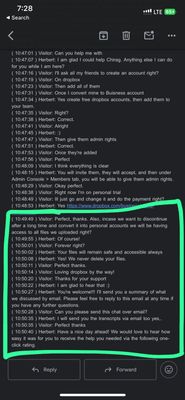
Hello Dropbox Community Team, I’m writing to raise a serious concern regarding a written assurance from Dropbox support that now appears to be contradicted. At the time of using Dropbox, a Dropbox support assistant confirmed via email that I had unlimited storage for life, and that even if I changed plans in the future, my existing files would never be deleted. Over time, the cost of the newer plans became ridiculously expensive and simply not affordable for me. However, based on Dropbox’s assurance, I believed that at the very least, my existing files would remain safely stored on the platform, even if I could not continue on an upgraded plan. I’m now facing a situation where: My plan has shifted from unlimited to limited storage I’m receiving warnings about storage limits My files are being deleted or are at serious risk of deletion This directly contradicts the written assurance provided by Dropbox support and puts important personal and professional data at risk. I’m not asking for additional storage or new benefits — only that the files already uploaded under the original promise remain intact, as explicitly communicated by Dropbox. I respectfully request: Immediate protection or restoration of my existing files A clear explanation for why the earlier assurance is no longer being honored A fair resolution that respects the commitment made by Dropbox support I would appreciate this being reviewed and escalated by a Dropbox moderator or support representative. Thank you for your time and understanding. Chirag88Views2likes3Comments