We’re Still Here to Help (Even Over the Holidays!) - find out more here.
storage space
1696 Topics
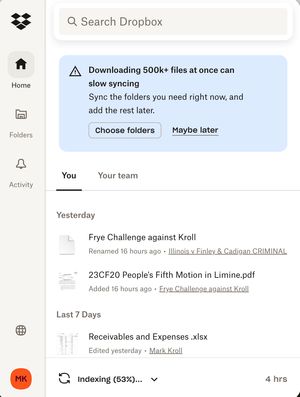
My Dropbox app keeps indexing files and I'm running out of hard drive space
I was running out of room on my MacBook Air (2 TB, Sonoma 14.7.8) and was told to make all Dropbox folders Online only to free up storage. It started indexing and freed up almost 1 TB so I was happy for a few minutes. Then it kept indexing and a few days later I was out of memory again. This has been going on for 6 weeks! ChaptGPT calls this a "rehydration" DropbBox Death loop. Chat said to mark the whole DropBox master folder as Online Only, then stop and restart DropbBox ap. Did not solve the problem. Possible clue: My main computer (MacBook Pro (4 TB, Sonoma 14.6.1) is doing fine except the Finder now shows that there is a 20 GB "Conflicted" copy of my DropBox files. Can anyone help me?75Views0likes5Comments
Adding extra space to a Dropbox Professional account without upgrading to a Business plan
I am currently a professional account holder with 3TB of storage space, I am 500GB away from running out of space. As a creative I work with large file sizes and I was looking to upgrade to get a few more TB of storage. My only option is to upgrade to a Business Account, which would be fine, however you need to have a minimum of 3 licences which makes it very expensive for 2 extra TB which the Standard packages offers, I use the dropbox transfer tool almost every day so ideally I would be on the Advanced plan so I have have the same transfer limit of 100GB transfer limit which I get with Professional. Currently I pay around £15 per month for my package, currently if I want 2TB extra I would need to pay £30 per month and get less services than I do now or £45 per month to get what I really need. which is an increase of £30 per month which is excessive. Why doesn't Dropbox allow to increase storage space without needing to but licences which are not needed. As a long term customer of over 10 years who uses the service every day I am getting to a point where will need to make a decision to leave Dropbox and go to an alternative provider of which there are many to to choose from. For example: - IDrive offer 10TB for $3.98 a month pCloud offer 10TB for $3.95 a month I need to do more research on this but Apple, Google and probably Amazon will offer similar services, the only thing stopping me at the moment is the hassle of transfering all my data across. But I will do it if needed. Please Dropbox you are currently alienating what will be a big proportion of your loyal customer base. Sort it out!Solved9KViews2likes22Comments
Warning! Dropbox Plus “Free Trial”
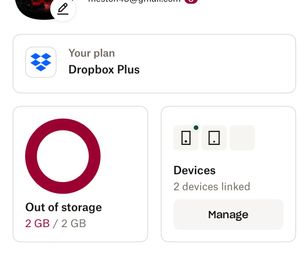
I was nearing my Dropbox storage limit. I had an increased storage size in my basic account due to many referrals to friends and companies I worked for over many years and taking tutorials in the past. I was offered a “free trial” to Dropbox Plus, with seemingly no option to refuse it. I used the (what I thought of as temporary) time and extra capacity, to do housekeeping in my account and move off a lot of photographs to other storage. With a few days of the so-called trial left to run, I looked for ways to cancel it and return to my former plan. I discovered to my horror that if you do not take up the paid upgrade (at 120 a year), Dropbox does NOT restore your former Dropbox storage limit but drops you to its current basic plan of 2 GB. So, having removed several hundred photos and videos, I now find myself around double the limit with no means of restoring functionality to Dropbox other than by removing more than half the remaining files, negating any purpose in having an account at all. Dropbox was the first and simplest cloud storage/sync solution. It has always worked flawlessly for me. That’s why I have recommended to employers, work colleagues, friend and families for decades. However, this action, a “free” offer, which cannot actually be refused, along with a penalty for not completing an expensive upgrade, that you are not warned of in advance - will drive me away and encourage my contacts to also. It is blatant misrepresentation at best, potential fraud in reality. Be VERY careful to check your storage capacity and current use! Do NOT proceed with the “free” upgrade unless you are prepared to pay. You cannot go back!2.8KViews0likes2CommentsCan't upload to another user's folder shared with me
Another user shared their folder with me to allow me to upload some work product I had done for them. I only have the basic free dropbox they have 3TB and they are no where near full. I can't upload any of the work product becuase dropbox says I am full. I have nothing in my drop box (ZERO!) but all of the other users work product counts against my quota. This seems like a heavy handed way to force people to pay for a subscription they don't use. Other clients Onedrive & Google Drive share options work without this arm twisting to forcing me to buy a subscription to contribute to their shared folders (folders that don't even belong to me).Solved1.9KViews0likes3Comments
Dropbox says "not enough space" even though I have only 1 file in my account.
Hello, I cannot understand why dropbox says "not enough space" even though I have 2 GB and only 1 file with 35kb is saved. This is the first time since many years that this happens. 😕 Thank you for your assistance! Regards, Andi9.1KViews0likes23Comments
Why do shared files count against my space usage?
Why are files shared with me counted against my space usage? Is this data counted twice? If someone who is sharing files with me is paying for this space, why should I have to pay as well just to access it? I am out of space, I have no intention of buying more space, and yet, when someone shares some files with me, I cannot access them and I am forced to buy space in order to access them. Why is this? Thank you.Solved30KViews4likes144Comments
Dropbox full because of shared folder, how can I avoid them taking space?
Hi, i have a dropbox account and the free space that i have is full because of the files inside the shared folder that i have with some friends. Is there a way to avoid that the shared folder that uses the free space of my account without cancelling those folder? Because i have no more space and i haven't uploaded any files Excuse me for my english but i found problem on trying to traduce this message from my languageSolved110KViews8likes132Comments