We’re Still Here to Help (Even Over the Holidays!) - find out more here.
Forum Discussion

DariaV
2 years agoExplorer | Level 3
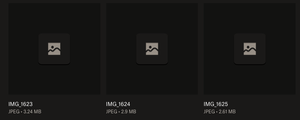
Dropbox doesn't preview JPEG files, as they appear to be corrupted.
Hi everyone!
Found out Dropbox doesn't open specific files I uploaded some time ago.
I have multiple folders in which some files are ok while others can't be opened for some reason. All o...

Walter Dropbox Community Moderator
2 years agoDropbox Community ModeratorHey DariaV, could you clarify your last point for me please? Are you able to open those files normally after you download them on your Mac or not?
Do you any previous versions on the files to restore perhaps?
Also, do you remember how you had uploaded them in the first place? Was it through the website or the mobile app?

DariaV
2 years agoExplorer | Level 3
Hi Walter!
No, I am not able to open them on Mac. It says they are corrupted.
No, I don't have any previous versions, unfortunately. These are rather old photos, originals were deleted from iPhone years ago.
I uploaded them via the website. I would download them from a different storage and then upload them to Dropbox. 95% of photos I was uploading this way are completely fine.

About View, download, and export

Need support with viewing, downloading, and exporting files and folders from your Dropbox account? Find help from the Dropbox Community.
The Dropbox Community team is active from Monday to Friday. We try to respond to you as soon as we can, usually within 2 hours.
If you need more help you can view your support options (expected response time for an email or ticket is 24 hours), or contact us on X, Facebook or Instagram.
For more info on available support options for your Dropbox plan, see this article.
If you found the answer to your question in this Community thread, please 'like' the post to say thanks and to let us know it was useful!


