Your workflow is unique 👨💻 - tell us how you use Dropbox here.
Forum Discussion

bricealef
4 years agoNew member | Level 2
Dropbox Link Broken When Overwriting File
Hello
I've been having problems lately when overwriting files on Dropbox. It used to be that when I'd overwrite a PDF exported from Indesign, the file location and link would stay persistent. B...

winggee
1 year agoExplorer | Level 3
Hi! I'm currently having this same issue.
"
Let's take PDF's for example. Normally, I could simply update a file/make corrections to it - save and close and that file would sync.
So the next time anyone who had the link opens it again, would open or view that updated file.
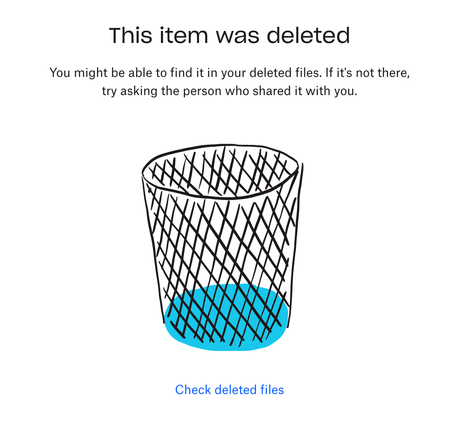
What is happening however is, when a change has been made to the file and closed - the link that was originally associated with that file no longer works and points the viewer to a page saying it has been deleted."

Walter Dropbox Community Moderator
1 year agoDropbox Community ModeratorHey there winggee - sorry to hear about this.
Can you please clarify how exactly you're editing the files your shared links point to? For example, are you using the desktop app to sync your changes or maybe the website to do it directly?
Any additional information is more than welcome!
- winggee1 year agoExplorer | Level 3Hi Walter. I’m creating files in illustrator but saving them as pdfs. The pdf link is shared with my customer, and as I save the pdfs, my customer usually can get the edit right away. However the last few days he’s been saying that the link says that the file has been deleted. Original link is sent using the upgraded Mac app.
- Rich1 year ago
Super User II
winggee wrote:
However the last few days he’s been saying that the link says that the file has been deleted.See my reply above. Try pausing Dropbox before saving, and resuming it after, and I bet the link remains.
 tmccoy091 year agoNew member | Level 2
Yeah I'm back to having this same issue, as well. It was fixed for maybe a day on my end. I'm no longer using dropbox links to share any of my files unless I keep them in a separate, dedicated folder that I know not to edit or re-save, and can also no longer use the old links that have been shared for the past 5+ years in my company-wide Asana project management system as reference. Many are useless now, so I'm just uploading files directly. After about a decade as a happy dropbox user, I will likely end my subscription if this doesn't resolve soon. It's the only feature I need.

About View, Download, and Export

Get support with viewing, downloading, and exporting files and folders from your Dropbox account.
The Dropbox Community team is active from Monday to Friday. We try to respond to you as soon as we can, usually within 2 hours.
If you need more help you can view your support options (expected response time for an email or ticket is 24 hours), or contact us on X, Facebook or Instagram.
For more info on available support options for your Dropbox plan, see this article.
If you found the answer to your question in this Community thread, please 'like' the post to say thanks and to let us know it was useful!


