Our Community is in read-only mode until April 8th, learn more here. You can still search existing threads or get help via Dropbox Support, the Dropbox Help Center, or Learn.
Forum Discussion

jalford2025
6 months agoNew member | Level 2
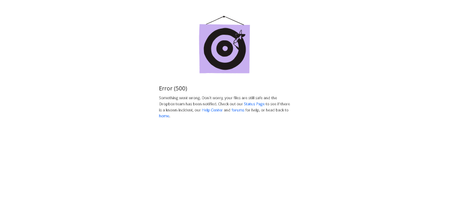
Error (500) on the Dropbox website. What can we do?
Device N/A Operating System/Browser (if using the web) N/A Dropbox App Version/Browser Version N/A
Question or Issue Error (500) on the Dropbox website
- 6 months ago
Hey jalford2025 and Wilderness P, thanks for alerting us to this.
We were indeed having an issue with the Dropbox website, however it now seems to be resolved.
You can check our status page for the latest updates.
Apologies for the inconvenience and if you need anything else, let us know.
Thanks.


JimRobinson
6 months agoExplorer | Level 4
My colleague, working from another location, can load our dropbox files without issue. It seems to be a problem from my locale (Southern California).
- Dell_Dropbox6 months ago
Community Manager
Hey JimRobinson, this issue has been mitigated, but I wanted to check in to see if everything was working as intended for you. Are you still receiving an error?

About View, Download, and Export

Get support with viewing, downloading, and exporting files and folders from your Dropbox account.
The Dropbox Community team is active from Monday to Friday. We try to respond to you as soon as we can, usually within 2 hours.
If you need more help you can view your support options (expected response time for an email or ticket is 24 hours), or contact us on X, Facebook or Instagram.
For more info on available support options for your Dropbox plan, see this article.
If you found the answer to your question in this Community thread, please 'like' the post to say thanks and to let us know it was useful!


