We’re Still Here to Help (Even Over the Holidays!) - find out more here.
Forum Discussion

FixIS
9 months agoNew member | Level 2
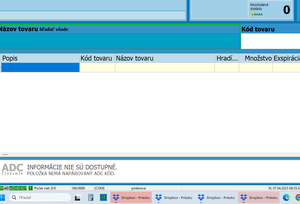
Folders keep opening by themselves on the web browser on my computer
By end of the day its around 6 of them.
Notifications turned off

Electrify2015
9 months agoExplorer | Level 4
6 tabs open...
Do you have Dropbox app or are you trying to validate something with Dropbox. Normally sites only open a new tab if anyone clicks on it, or SSO for authentication or any link from the app. May be malware, run a scan on your device.

FixIS
9 months agoNew member | Level 2
Thank You for Your answer too :)
As i mentioned above its drop box app. And it is file explorer not internet browser which is opening.
Device is clean i tried
About View, download, and export

Need support with viewing, downloading, and exporting files and folders from your Dropbox account? Find help from the Dropbox Community.
The Dropbox Community team is active from Monday to Friday. We try to respond to you as soon as we can, usually within 2 hours.
If you need more help you can view your support options (expected response time for an email or ticket is 24 hours), or contact us on X, Facebook or Instagram.
For more info on available support options for your Dropbox plan, see this article.
If you found the answer to your question in this Community thread, please 'like' the post to say thanks and to let us know it was useful!


