Your workflow is unique 👨💻 - tell us how you use Dropbox here.
desktop
520 Topics
Cannot search for images that contain text after desktop app update on macOS Sequoia
Application Affected (Dropbox , finder) Device MAcbook M1 sequoia Operating System/Browser (if using the web) sequoia Dropbox App Version (if using the app) 243.3.6895 Question or Issue Hi everyone,I’m having an issue with Dropbox and I hope someone can help. I can’t search for images that contain text anymore. For example, in Finder on my Mac, inside my Dropbox folders, I’m no longer able to find images based on the text inside them. This used to work perfectly when Dropbox was in its original location. After restarting my Mac, Dropbox was moved to the Library folder without my permission. I thought, “Okay, I don’t really care where it’s located,” but since then I’ve only had problems. Honestly, this is very disappointing. How can I fix this?38Views0likes3Comments
Windows cannot find folders revealed by search Dropbox
Device Custom PC - 13th Gen i7, 48GB Ram Operating System/Browser (if using the web) Windows 11 Dropbox App Version/Browser Version 241.4.4795.0 Question or Issue When I search dropbox and then click on a folder, windows cannot find the folder. This is only happening with some folders, not all. This was never a problem prior to the recent update.Solved97Views0likes7Comments
We want to open shared links directly on the desktop app and not the website.
Hi there. Love Dropbox. I moved our whole team to it from Google Drive much to all of our delight. The one hiccup that keeps coming up (was also an issue with Drive, but would be a game changing new feature from DB) is sharing links. Our team uses the desktop app to work with files directly in finder, but we share links to files and folders on slack and in email, etc... Right now we click a link, it opens the browser as expected, we find the file path in browser and then follow that path in finder. That seems like an awful lot of work when we have a direct connection between our finder and dropbox in the app. Perhaps the website could provide a link that connects to the desktop app, opening the folder/file in finder or windows explorer. Seems like a reasonable option to me, but what do others think?434Views1like10Comments
“Can't open the file because the file format/extension is not valid.” error on website/desktop app.
Hi, I’m having a serious issue with Dropbox where many of my files appear in the correct folders on both my computer and on Dropbox.com, but none of those specific files will open. I receive errors like: “Cannot open the file because the file format or file extension is not valid.” Here’s what’s happening: I can see the file names and folder structure in Explorer. I can also see the same file names on Dropbox.com. But when I try to open any of these files (locally or on the web), they fail with format/extension errors. The files appear to be zero‑byte placeholders rather than real files. Most of my other files still exist on my second laptop, but the ones I urgently need do not. These missing files appear in Dropbox, but none of them open anywhere. This all started after repeated issues with the Dropbox sync engine failing to start. Dropbox would install, but the app never launched, no tray icon appeared, and the sync engine seemed to be stuck in a crash loop. I believe this may have caused Dropbox to replace some of my original files with empty placeholder versions. I need help determining: Whether Dropbox has older historical versions of these files stored internally. Whether a data recovery review is possible for these zero‑byte or corrupted placeholder files. Whether Dropbox can confirm if these files ever successfully uploaded before the sync engine failed. These files are extremely important to me, and I’m hoping Dropbox Support can check server‑side logs or historical versions to see if recovery is possible. Thank you for any help or escalation you can provide.309Views0likes26Comments
I can't see my files on my Mac at home, they don't seem to sync.
My file is in a dropbox folder at work I can see it on the web It does NOT show up on my Mac at home. The web say, this file is Hiden from you. how do I fix this so I see the file at home and at work at the same time like I always did before.51Views0likes3CommentsIs there a quicker way to open docs from my Dropbox folder in Word for the web?
Macbook OS 15.6.1 When opening word files through a dropbox finder window, it's a two step process to open in word-for-web for collaboration: Right click>quick-actions>open on dropbox.com Then: Open in>word-for-web Is there a way to add a right-click quick-action to open a document directly in word-for-web?61Views0likes1CommentLarger folder refuse to become available offline on my PC.
Hi all, I have a Dropbox Plus account and wish to save files for offline access. I can do this by toggling Offline Access in Preferences with some folders but for the larger folders Dropbox refuses to let the files download and all is only available online. There is plenty of storage on my PC or external drives that I have tried with. Does Dropbox have a limit on folder size that it will sync like this? Any tips as to what I am doing wrong? /steve108Views0likes4CommentsFull Local Backup to an External Drive
I would like to be able to create a full local backup of my Dropbox without needing to sync all files to my computer’s internal storage. Right now, my Dropbox is larger than the available space on my computer, so I can’t keep everything synced locally. Because of this, I don’t have a reliable way to back up all of my files to a physical drive for long-term safety or peace of mind (unless I do it in batches and that takes a long time. It would be extremely helpful to be able to connect an external hard drive and sync my entire Dropbox directly to that drive, without first downloading/syncing everything to my computer. Ideally, this would work as a one-way backup (Dropbox to external drive), clearly labeled as a backup destination, so there’s no risk of accidentally overwriting files. Having a native way to back up all Dropbox content to an external drive would significantly improve data safety and flexibility, especially for users with large accounts. This would be especially valuable for long-time Dropbox users with large libraries who want a simple, reliable backup solution without third-party tools.Solved232Views0likes2Comments
Err_connection_refused error on multiple web browsers
Can’t seem to connect to Dropbox at all using multiple different browsers and in private /incognito mode. Keeps saying refuses to connect. Have added Dropbox.com to trusted sites in settings, uninstalled and reinstalled the Dropbox program and browsers. Have also made sure no proxy settings are active along with making sure the program is allowed access. NOTHING WORKS!!!Solved36KViews1like65CommentsUnexpectedly syncing an enormous amount of files and constant crashing
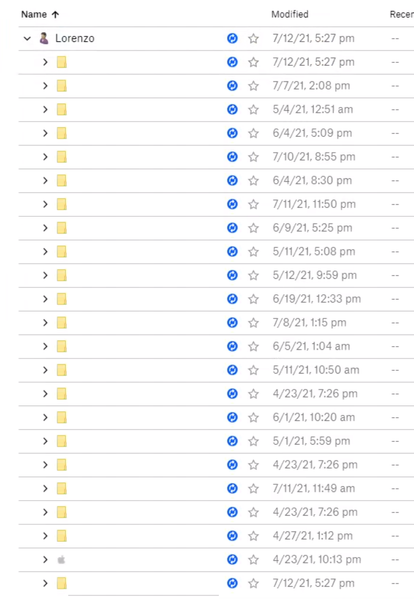
TL;DR - Many files seem to be indexing for no reason, some seem to be downloading locally, dropbox app is crashing every 5 minutes, I've tried most of the troubleshooting techniques, and have no solution for what I'm facing here. For the past week or so, Dropbox has been indexing in excess of 20,000 files without any user input (and seems to be downloading some files without any instruction or input from me). It has also been unexpectedly crashing within a few minutes of starting up. I have tried just about every troubleshooting option in the book: - Advanced Reinstall + Selective Sync (did not fix anything, waste of time) - Fix Hardlinks / Permissions (did not fix anything) - Relinking Account (did not fix anything, although it did seem to go through all of my files and end up getting stuck again) - Selective Sync (which does not work at all) - Removing Some Files that were recently added (did not fix anything, still had the same amount of files indexing/syncing) - Selecting "Online Only" for the whole Dropbox folder as some files seem to be downloading for no reason at all (didn't seem to work, it did seem to make the problem worse if anything) What I am currently doing: - Checking the Windows Indexing settings to see if this will fix/subdue the issue I am yet to try: - Relinking Account in conjunction with Selective Sync and seeing if that does anything, but I am reluctant to try this again if it will just get stuck. The number of files being indexed seems to vary between 19,000 and 23,000, however, this figure has been going up recently. Every single file is showing the "blue sync icon", so finding the troublesome files are impossible at this stage, and it has been very stable with around 4 million files, so not sure what has triggered this to happen. I would usually upload around 500GB at a time, and the Dropbox app would take it like a champ and just get the job done, now, however, it doesn't seem to like anything I do with it. What has happened on my PC recently: - I had placed a small batch of files into my Dropbox folder (around 120GB or so, I am reluctant to delete my entire Dropbox directory and start again in fear of unsynced files.) [I have taken out some of these files and this did not seem to fix anything.] - Windows Updates I had a similar issue around a month ago, and somehow happened to fix it by taking files out that I had recently placed inside the Dropbox folder. It seems as though now, this solution does not seem to fix anything. I understand that I have some 4.2 million files in my Dropbox, and I have been trying to selective sync to reduce this amount to improve performance, however, it seems to be an impossible loop of crashing and indexing/syncing. I have a fairly high-powered system so I expect this indexing to be completed rather quickly, however, it has been doing this and crashing for the past 5+ days or so. Please help! (I have redacted personal information)Solved11KViews3likes12Comments