Our Community is in read-only mode until April 8th, learn more here. You can still search existing threads or get help via Dropbox Support, the Dropbox Help Center, or Learn.
desktop
5624 Topics
Cut the Clutter: Ignore Files Feature is now live
Update: This feature is now live and available to all individual plan customers! Thank you to all our testers, and share your feedback with the team, we're still eager to hear from you! For years you’ve asked for a simple way to exclude files and folders from sync without using selective sync feature. We’re testing a new way to give you more control over what Dropbox syncs and what it doesn’t. If you’ve ever wanted to keep certain files or folders on your device without syncing them to dropbox.com, this feature is for you. 🤔 What is it? Ignore Files lets you list exclusion rules in a special text file called rules.dropboxignore placed in your Dropbox root folder. Any file or folder that matches a rule will stay on your computer but will not sync to dropbox.com or count against your storage 👀 Who we’re looking for Desktop Dropbox users on Windows, macOS, or Linux People who regularly deal with temporary or bulky content, e.g. Software Engineers Video / audio / 3D creators Anyone who hates seeing clutter in their cloud storage Someone who is comfortable trying a closed beta feature and sharing honest feedback 🗓️ How the closed beta works Here’s what to expect if you join the beta for Ignore Files: Register - Fill out the form here → [Sign-up link] Confirm: Eligible participants will receive an email to confirm their participation, along with the timeline details. Get Set Up - Make sure you have Dropbox app installed on your computer We’ll Enable It - We’ll activate Ignore Files feature for you. Try It Out - Use Dropbox as usual for 1 week, ignoring files and folders as needed. Share Your Thoughts - At the end of the week, we’ll send a quick survey. You can also opt into a 30-minute feedback chat (optional, limited spots available!) ✍️ Want in? Fill out the quick screener here by date → [Sign-up link] Keep an eye on your inbox - we’ll be in touch if you’re selected Thanks so much for helping us improve Dropbox. We’re excited to hear what you think! Got questions? Just drop them in the thread below. 💬5KViews13likes53CommentsThe upload speed on my macOS 26.4 desktop app is very slow.
Device Mac Mini M4 Operating System/Browser (if using the web) MacOS 26.4 Dropbox App Version (if using the app) Syncing Status Very slow! Question or Issue I am have very slow upload speeds. It is taking 50 minutes to upload a 2.2 gig file. My upload speed is 490. I thought it was my computer, so I purchased a new one. Went from M2 to M4. No change at all.51Views0likes1Comment
Latest update created several problems with cache and syncing
Device iMac 2021 Operating System/Browser (if using the web) MAC OS 15.7.4 Dropbox App Version/Browser Version APP version, cannot locate version # Question or Issue After a recent update I got error messages about the Finder and Dropbox started defaulting to saving my documents in the Dropbox cache, ".dropbox" (which I did not know existed). I then deleted the cache. This morning I was required to log in to Dropbox and go through the process of resyncing everything. And then even though I did not ask that the files be offloaded to the cloud, every one of my folders and files has the cloud icon next to it (on my desktop). I am a little anxious about what awaits me with my office iMac which is significantly older and slower.161Views0likes9CommentsCan't start the Dropbox app on my new Windows device. Nothing happens.
Application Affected Dropbox Device HP generic, new, laptop Operating System/Browser (if using the web) Windows 11 Dropbox App Version (if using the app) Can't really tell since it won't start Question or Issue Have been using Dropbox for years. Recently had to get a new laptop because of work issues. I downloaded the app from dropbox.com. It installs just fine. When I start it and press the login button, it very briefly starts a hidden terminal session. The terminal closes almost instantly without displaying its window (therefore I can't see what it tries to do) and then nothing more happens. It will not even display the login window (username/password). Tried reboots and starting the application with administrator privilegies. Doesn't work. No error messages. Works just fine on my other computers, but this is the one I travel with which is a problem. One thought is that the installer tries to access the Edge browser or its dependencies, which I don't have installed (optional in the EU). Please help!220Views0likes12CommentsMy Dropbox folder silently disappeared and I haven't accessed it recently.
I am a paid Dropbox user. I use it very often but not very folder is used all the time. Today I tried to retrieve some data from a folder I visited about a year ago. I found it disappeared. No trace, no way to find it anyway. Can't find it in deleted folder either. Does anybody has similar issue? Can I get some advice on this? Thanks.103Views0likes4Comments
How much are download and upload max file size limitations?
1) how much are download and upload max filesize limitations? (through desktop app) thank u .. i am thinking of going from free account to paid 2TB account (PLUS version) i want to upload or download if nececery a file of 300GB (encrypted). and 2) if i pay by month at first if i will be able to get money back if i dont like it.56Views0likes1Comment
Setting a keyboard shortcut for "View on dropbox.com" in the Dropbox Desktop App on PC or Mac
I want to be able to open the currently selected file or folder directly in the web browser on dropbox.com with a single keyboard shortcut — without having to repeatedly open the Dropbox app or right-click and select "View on dropbox.com" every time. If this feature were provided, I think the Dropbox web interface could be used much more easily and conveniently as a file viewer.195Views2likes2Comments
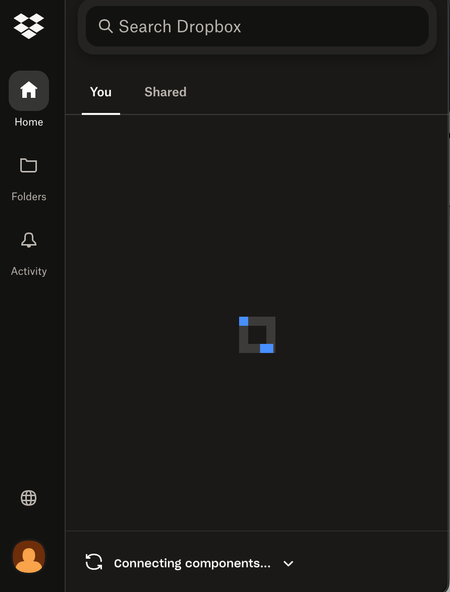
My Dropbox app on macOS is stuck on "Connecting components" even after reinstalling.
Application Affected Dropbox Device Macbook Air Operating System/Browser (if using the web) (Windows 11, macOS14.3, etc.) Dropbox App Version (if using the app) latest version (can't access app settings on current app) Question or Issue My dropbox app has been stuck on Connecting Components. I uninstalled and re-installed it twice to no avail. I even deleted the files from Library/Application support in Finder. The other weird thing is that there was no option to sign in even after the app was reinstalled. It was stuck almost immediately on Connecting Components. I would be super grateful for any help!!334Views1like17Comments
My Mac desktop app is unable to sync a file, even though I've removed the invalid character.
Operating System macOS11.7.10 Dropbox App Version (if using the app) 244.4.6580 Syncing Status 1 file is unable to sync Issue While organising and renaming files in Finder, I accidentally typed the \ character in one of the file names. I corrected it almost immediately, but not before Dropbox had registered it as a file that it couldn't upload. Now I'm getting a constant message about how "1 file is unable to sync" and telling me to remove the special character. But that file effectively doesn't exist anymore (at least not with the faulty name). I therefore can't "view" it or "fix" it. And there doesn't appear to be a way of getting Dropbox to drop the matter. How can I get Dropbox to dismiss this now non-existent issue? (The file with the corrected name is syncing just fine, I can view it on Dropbox[dot]com, etc.)51Views0likes1Comment