We’re Still Here to Help (Even Over the Holidays!) - find out more here.
Forum Discussion

NoMoreGrid
7 years agoNew member | Level 2
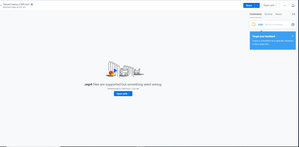
MP4 files won't play on the web. ".mp4 files are supported but something went wrong."
So I've been uploading videos to dropbox and suddenly dropbox just stopped allowing me to view the videos on the site. My other videos play fine but the ones I upload now just won't play. Anyone know...
- 6 years ago
Hey everyone, thanks for your patience on the matter.
This should be resolved now. If you're still having any trouble with it though, don't hesitate to let us know and we'll make sure to get back to you as soon as possible.
Thanks again!


JP2E
6 years agoExplorer | Level 3
I love your product but this is ridiculous. I am noticing this error almost everytime I upload my video files, worst yet some of my older video files that were working fine a few months ago have this error. What going on, are you guys addressing this per each account, do I need to open a ticket? or is there going to be a global fix? HELP PLEASE!!

Terri6
6 years agoNew member | Level 2
I have just encountered the same problem and have never encountered it before. It is frustrating that it seems to be a known issue for some time now. Something must have changed. I'll try the recommendations and submitting a ticket if need be but agree that it would be great for Dropbox to urgently address this issue.
 Grigoryeva6 years agoNew member | Level 2
Dear All,
I fixed the problem via making the videos shorter. As long as they are less than 40 minutes this does not happen to me anymore. How long are your videos guys? Brent R.16 years agoExplorer | Level 4
Thanks for the observation Grigoryeva. However it won't help in my case. My error-free video is 24 seconds duration, the one that stalls midway through is 18 seconds, and the one that throws the error is 26 seconds.
I wonder if, when you shortened your videos that you used different settings ? Or simply reloading it might change the behaviour. However, all that should be irrelevant. An mp4 that successfully plays in a standalone player should play in the (Dropbox) browser window. There are reports of videos that used to play no longer playing. In any case, why should we have to trouble shoot what is obviously a problem of DropBox's own making ? Sounds like all DropBox have to do in the short term is down-rev the relevant parts of their code to a version that works while they go about looking for (and properly testing !) a permanent fix.
- Grigoryeva6 years agoNew member | Level 2
I fully agree that this should be fixed and FAST! These days there is a huge need in streaming lectures, tutorials, other materials. Since I saw that this issue appeared to me a few times and this small fix worked, I just mentioned it here. Another thing I tried was to re-export again my video in Quicktime. Unfortunately, I did not change any settings whenever I re-exported or made them shorter. This gives me headache too as I need to check the links each time and to waste tons of time for things which should be automatic.
 Mulherin6 years agoNew member | Level 2
Same problem: can't view mp4s online. Which means my friends can't see my videos. Solutions?
 Teacher26 years agoNew member | Level 2
Hi,
I too am having this issue. We've been using dropbox to share video tutorials with our students as other tools have size limits that are too small. Most of our videos are 5-15 minutes long and have been working flawlessly over the previous 2 weeks. Today, however, students have been unable to watch the videos. The video file works fine and I've tried reuploading it to get a new link.
Our current work around is for students to download the video and then play it but I'd really like to avoid having to do this for every video. We do a lot of the video recording on iPads so they are automatically .mp4 and converting them to another format would be another hassle i'd like to avoid so I'm hoping there's some other solution to this problem so links to the video work in the browser.
I'm not sure why it's stopped working as nothing has changed in the way we've done things.
 jpcypert6 years agoNew member | Level 2
Same issue. Started this week after a few years of using Dropbox. Have tried re exporting the video several times and am still receiving the same .mp4 playback woes as many have stated. I'm looking like a real flopper to my client currently.
- JP2E6 years agoExplorer | Level 3
Just like that today all my .mp4 files are working fine. Hope its the same with everyone else.
- Brent R.16 years agoExplorer | Level 4
Yep, my one mp4 that previously threw up the ".mp4 files are supported but something went wrong." error now plays to completion. However, the video quality is really low. Like about hald the resolution of the same video when played with quicktime player and with a lot of what look like jpeg artifacts when the compression is too high.
So progress but not the full solution.
About View, download, and export

Need support with viewing, downloading, and exporting files and folders from your Dropbox account? Find help from the Dropbox Community.
The Dropbox Community team is active from Monday to Friday. We try to respond to you as soon as we can, usually within 2 hours.
If you need more help you can view your support options (expected response time for an email or ticket is 24 hours), or contact us on X, Facebook or Instagram.
For more info on available support options for your Dropbox plan, see this article.
If you found the answer to your question in this Community thread, please 'like' the post to say thanks and to let us know it was useful!


