Need to see if your shared folder is taking up space on your dropbox 👨💻? Find out how to check here.
Forum Discussion

lynmac
4 years agoCollaborator | Level 8
Outage Oct 30 2022?
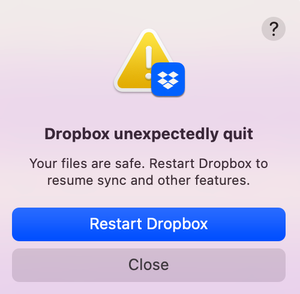
Seem to be getting an error message repeatedly telling me dropbox has to restart. Anyone else?
 4 years ago
Exciting News!!!
Installed an older version of Dropbox (went back to August 2022), no restart, no pausing of the antivirus.
Launched the desktop app and presto, it started syncing!
Result: Everything is as it should be!!
Re-installed v160.4.4703 and everything seems to be working fine. Thanks for your help! 😁

Megan Dropbox Community Moderator
4 years agoDropbox Community ModeratorHi lynmac, could it be any antivirus, or firewall that would be preventing Dropbox from launching properly?
Could you try to disable them, and then try again?
lynmac
4 years agoCollaborator | Level 8
Hi Megan thanks for the tips. I'm at least logged into Dropbox but sync history is showing it as stuck on "starting". I suspect I'll get the error message shortly - and yup, there it is.
Oddly enough there's been no major change to my system configuration since I changed my OS back in August 2022. If it helps, this all started when I was cleaning things up and moving files from my computer into DB. Unfortunately, I just compared one of the folders I was uploading to in Dropbox to what's showing in my finder on my desktop there's a major gap -- documents moved on the weekend are online but not the historical documents.
Now I'm starting to really feel uneasy.
- Megan4 years ago
Hey lynmac, you mentioned you've contacted our Support team, right?
Could you send me your ticket number, so that I can locate it on our system, and see the progress you've made with our agent?
- Megan4 years ago
Hey lynmac, thanks for the ticket number reference!
I was able to pass my comments to it, and let the agent know what we've discussed here, in the Community. I can also see they've replied back to your latest response. Did you have the chance to review what they've suggested?
About View, download, and export

Need support with viewing, downloading, and exporting files and folders from your Dropbox account? Find help from the Dropbox Community.
The Dropbox Community team is active from Monday to Friday. We try to respond to you as soon as we can, usually within 2 hours.
If you need more help you can view your support options (expected response time for an email or ticket is 24 hours), or contact us on X, Facebook or Instagram.
For more info on available support options for your Dropbox plan, see this article.
If you found the answer to your question in this Community thread, please 'like' the post to say thanks and to let us know it was useful!


