Need to see if your shared folder is taking up space on your dropbox 👨💻? Find out how to check here.
Forum Discussion

lynmac
4 years agoCollaborator | Level 8
Outage Oct 30 2022?
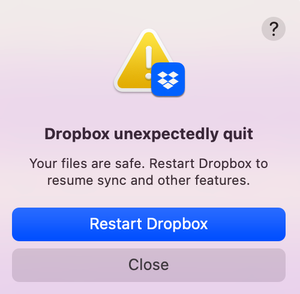
Seem to be getting an error message repeatedly telling me dropbox has to restart. Anyone else?
 4 years ago
Exciting News!!!
Installed an older version of Dropbox (went back to August 2022), no restart, no pausing of the antivirus.
Launched the desktop app and presto, it started syncing!
Result: Everything is as it should be!!
Re-installed v160.4.4703 and everything seems to be working fine. Thanks for your help! 😁
lynmac
4 years agoCollaborator | Level 8
Megan Yes -- now working with Build 160.4.4703
1st attempt - Paused my antivirus, installed DB Build 160.4.4703. Things looked good for a bit (auto logged into DB, started syncing), then stopped and got the error message again.
2nd attempt - Re-installed the build, restarted my Mac, repaused the antivirus, launched DB and appears to be hanging on "starting" and won't allow me to log in from my desktop. Got the error message again.
3rd attempt - Restarted DB and was auto-logged in, hung on "starting" then got the error message again.
Antivirus is still paused. Will add the notes to the Ticket for DB Support.

Megan Dropbox Community Moderator
4 years agoDropbox Community ModeratorThanks for keeping this thread updated, so others know your troubleshooting process too lynmac! I appreciate it. 😊
- lynmac4 years agoCollaborator | Level 8
For those who are following along...
1. Reviewed my bandwidth setting to make sure it was set at "Do Not Limit"
2. Ran a security check and deleted all historical devices, browsers and apps
3. Fully removed the dropbox desktop app and did a new install (same version 160.4.4703)
4. Tried to open a file by accessing the Dropbox folder on my desktop (via Finder) (Opened excel, File/Open and selected an excel file). Was taken to the “Grant Access” screen and after “granting access” received the Alert: “Excel cannot open the file…… because the file format or file extension is not valid. Verify that the file has not been corrupted and that the file extension matches the format of the file”. Confirmed this is an excel file, however is showing as “zero bytes” in Finder.
5. Still scouring posts in the community for some possible helpful tips.🙂
DB Support has referred the ticket to a member of their team who specializes in this kind of issue who will review and get back to me as soon as possible.
Grateful for the DB community and helpers like @Megan and @Walter. The community posts really help with identifying possible troubleshooting tips and I appreciate not feeling alone on this!
Thank you! 🙂
- lynmac4 years agoCollaborator | Level 8
Exciting News!!!
Installed an older version of Dropbox (went back to August 2022), no restart, no pausing of the antivirus.
Launched the desktop app and presto, it started syncing!
Result: Everything is as it should be!!
Re-installed v160.4.4703 and everything seems to be working fine. Thanks for your help! 😁

About View, download, and export

Need support with viewing, downloading, and exporting files and folders from your Dropbox account? Find help from the Dropbox Community.
The Dropbox Community team is active from Monday to Friday. We try to respond to you as soon as we can, usually within 2 hours.
If you need more help you can view your support options (expected response time for an email or ticket is 24 hours), or contact us on X, Facebook or Instagram.
For more info on available support options for your Dropbox plan, see this article.
If you found the answer to your question in this Community thread, please 'like' the post to say thanks and to let us know it was useful!


