Our Community is in read-only mode until April 8th, learn more here. You can still search existing threads or get help via Dropbox Support, the Dropbox Help Center, or Learn.
Forum Discussion

camiilaah
3 months agoNew member | Level 2
Someone sent me a File Transfer, but it won't load.
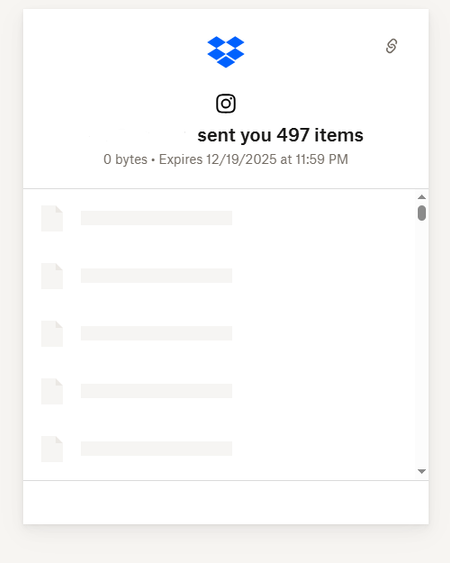
I received a dropbox transfer link from my photographer for my wedding pics but when I click "download" it just opens a link to the website but it stays loading. I haven't been able to see the pics o...

Megan Dropbox Community Moderator
3 months agoDropbox Community ModeratorHey camiilaah, welcome to our Community.
Let's see what we can find about this.
The first thing that came to mind was to double check with your photographer, and make sure that the files have been uploaded correctly on their end. The 0 bytes shown as the content's size looks a bit suspicious.
If they're using their desktop app in order to create, and send the transfer, maybe the files haven't been synced yet.
However, just to make sure we've exhausted everything on our end, I'd also suggest the steps mentioned in this Help Center article. Steps like trying to download your files using an incognito tab, or different browser, along with clearing the browser's cache will give us an insight as to what's happening.
I'll be waiting for your updates!

camiilaah
3 months agoNew member | Level 2
Hi!! Thank you for your reply. My photographer says that on her end while she was sending me the pictures it loaded just fine for her. I tried using an incognito browser and a different browser and they still won't load. It just shows the same as the picture I uploaded. She said she will re-check tomorrow since she's busy today :/. I guess I will wait until tomorrow to see. I appreciate your help and will reply if anything changes. Thanks!
- Megan3 months ago
Hey camiilaah!
Hope things are going smoothly! Just wanted to check if you still need a hand. If all's well, feel free to share what did the trick.
About View, Download, and Export

Get support with viewing, downloading, and exporting files and folders from your Dropbox account.
The Dropbox Community team is active from Monday to Friday. We try to respond to you as soon as we can, usually within 2 hours.
If you need more help you can view your support options (expected response time for an email or ticket is 24 hours), or contact us on X, Facebook or Instagram.
For more info on available support options for your Dropbox plan, see this article.
If you found the answer to your question in this Community thread, please 'like' the post to say thanks and to let us know it was useful!


