Your workflow is unique 👨💻 - tell us how you use Dropbox here.
Forum Discussion

KitsuneHeart
1 month agoNew member | Level 2
Can no longer add album art to mp3s in the Dropbox folder
Operating System: Windows 11 Home Dropbox App Version: 239.4.8301
Question or Issue
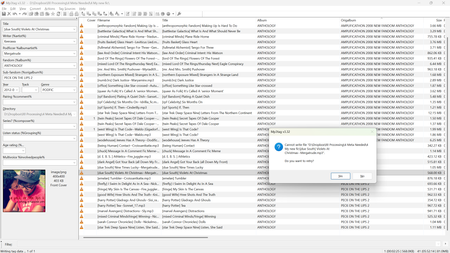
As of last night, I can no longer add album art to mp3s using the program mp3tag. I seem to be able to edi...

Jay Dropbox Community Moderator
1 month agoDropbox Community ModeratorHi KitsuneHeart, thanks for messaging the Community!
Just for confirmation, as you said you uninstalled the Dropbox desktop application, could you try quitting the desktop app instead and then try editing the metadata to see if this helps?
Keep me updated with any progress!
 KitsuneHeart1 month agoNew member | Level 2
Ah, forgot to put that on the list! Yes, I tried that. Just to be sure, I tried again a moment ago, even going into Task Manager to ensure all processes are ended. No luck.
- Jay1 month ago
I use MP3tag and have tested it with an MP3 file in the Dropbox folder, and it allowed the file to be edited with no issue.
Do you have any other music app open at the same time while editing the tags on the files?
- KitsuneHeart1 month agoNew member | Level 2
Not as far as I can tell. My only music app is VLC, and that's not showing up in the task manager.
I just tried uninstalling and reinstalling mp3tag, with no luck. I made sure to attempt an album art save before I reloaded my regular configuration, in case my configuration somehow messed something up, and I couldn't save. Reloaded config, still couldn't save. So it's not that install of mp3tag.
About Delete, Edit, and Organize
Solve issues with deleting, editing, and organizing files and folders in your Dropbox account.
The Dropbox Community team is active from Monday to Friday. We try to respond to you as soon as we can, usually within 2 hours.
If you need more help you can view your support options (expected response time for an email or ticket is 24 hours), or contact us on X, Facebook or Instagram.
For more info on available support options for your Dropbox plan, see this article.
If you found the answer to your question in this Community thread, please 'like' the post to say thanks and to let us know it was useful!


