Your workflow is unique 👨💻 - tell us how you use Dropbox here.
Forum Discussion

Demos Katsouris
5 years agoExplorer | Level 4
Change the size of images when next to text
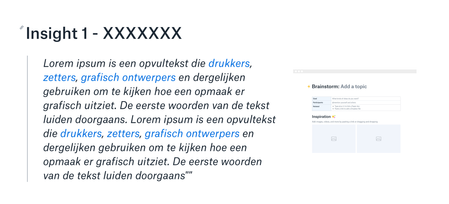
Does anyone know if it is possible to make images larger when side by side with text?
I would love to have the text a little smaller and the image much larger, especially in presentation mode....
- 5 years ago
Yes, correct. Those are the options you'll find in Paper docs at the moment, Demos.
In your case, perhaps it would be preferable if you edited the photo through a 3rd party app to adjust its size and/or resolution before uploading it in your Paper doc
Let me know if this makes sense or if you have any additional questions.

Demos Katsouris
5 years agoExplorer | Level 4
Hello,
Thanks for the response. I can see the toolbar. Unfortunately, I do not have the option (or maybe I do not see it), to adjust the size of the image. I can only arrange it on the left, right, and across the whole width of my paper doc. Am I missing something?
Kind regards,
Demos

Walter Dropbox Community Moderator
5 years agoDropbox Community ModeratorYes, correct. Those are the options you'll find in Paper docs at the moment, Demos.
In your case, perhaps it would be preferable if you edited the photo through a 3rd party app to adjust its size and/or resolution before uploading it in your Paper doc
Let me know if this makes sense or if you have any additional questions.
About Delete, Edit, and Organize
Solve issues with deleting, editing, and organizing files and folders in your Dropbox account.
The Dropbox Community team is active from Monday to Friday. We try to respond to you as soon as we can, usually within 2 hours.
If you need more help you can view your support options (expected response time for an email or ticket is 24 hours), or contact us on X, Facebook or Instagram.
For more info on available support options for your Dropbox plan, see this article.
If you found the answer to your question in this Community thread, please 'like' the post to say thanks and to let us know it was useful!


