We’re Still Here to Help (Even Over the Holidays!) - find out more here.
Forum Discussion

Edward H
3 years agoExplorer | Level 3
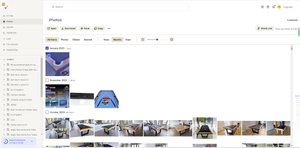
I don't see '#add a tag' on the right-hand panel on the website
Hello, I would like to tag photos/files but it isn't giving me the add tag option.
I have followed the instructions here https://help.dropbox.com/organize/dropbox-tags but I don't see '#add a t...

Hannah Dropbox Community Moderator
3 years agoDropbox Community ModeratorHey Edward H and echomack, if you select the file or folder you want from the "all files" page, then click on the "..." (ellipsis) button on the right and then click on "File/Folder info", are you able to access your tags and add new ones?

Edward H
3 years agoExplorer | Level 3
Yes, Hannah, I can access and create tags in this way. Thank you for your help! 😁
- Edward H3 years agoExplorer | Level 3
By the way, I would also like to inquire if there is a feature to add file tags on the Dropbox mobile app?
- Walter3 years ago
Hey Edward H -sorry to jump in, but I just wanted to mention that Dropbox tags are only available through Dropbox.com at this time, not through the mobile app.
I hope this clears things up!

About Delete, edit, and organize
Solve issues with deleting, editing, and organizing files and folders in your Dropbox account with support from the Dropbox Community.
The Dropbox Community team is active from Monday to Friday. We try to respond to you as soon as we can, usually within 2 hours.
If you need more help you can view your support options (expected response time for an email or ticket is 24 hours), or contact us on X, Facebook or Instagram.
For more info on available support options for your Dropbox plan, see this article.
If you found the answer to your question in this Community thread, please 'like' the post to say thanks and to let us know it was useful!


