Our Community is in read-only mode until April 8th, learn more here. You can still search existing threads or get help via Dropbox Support, the Dropbox Help Center, or Learn.
Forum Discussion

AlexMoro
7 years agoExplorer | Level 4
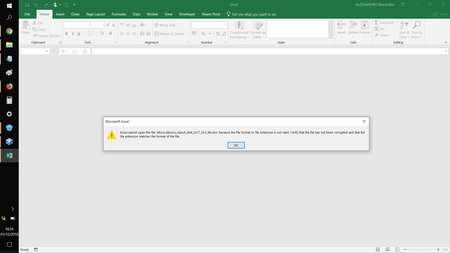
I get an error when trying to load some files. Any ideas why and what to do?
Hi, since few weeks I'm getting an error on some files in my Dropbox.
I use Dropbox tipically from 2 different Laptops.
Typically I use Dropbox from 2 different laptops. Now it happens that som...
- 7 years ago
For the second one the issue is that the folder structure has #'s in the structure.
The first one I reckon is too long a folder name - try renaming it to something smaller.

AlexMoro
7 years agoExplorer | Level 4
This error is expanding like an epidemic on my Dropbox. As I have already reported, I found the same problem on some Excel files.
I have to remove all the files I use for work from Dropbox until the problem is resolved. I can not afford to lose them.
And it is also certain that if this problem continues I will have to interrupt my subscription with Dropbnox.
If I can help, I would investigate the compatibility between Dropbox and the latest build of Windows 10(1809), because I think it is presented just after the arrival of the new Build of the OS.

CGreenDNE
7 years agoExplorer | Level 3
I had an issue with Jpeg files being corrupted last summer. I ended up creating a new Dropbox folder and putting my jpeg files in there and having no further problems. I went around in circles with Dropbox Support, who wanted to blame everything on jpeg files created on a Mac computer. Try creating a new folder in yoru Dropbox and putting the files there. I would always keep a back up copy.
About Delete, Edit, and Organize
Solve issues with deleting, editing, and organizing files and folders in your Dropbox account.
The Dropbox Community team is active from Monday to Friday. We try to respond to you as soon as we can, usually within 2 hours.
If you need more help you can view your support options (expected response time for an email or ticket is 24 hours), or contact us on X, Facebook or Instagram.
For more info on available support options for your Dropbox plan, see this article.
If you found the answer to your question in this Community thread, please 'like' the post to say thanks and to let us know it was useful!


