Your workflow is unique 👨💻 - tell us how you use Dropbox here.
Forum Discussion

vadoff
8 years agoHelpful | Level 6
Lost files after enabling Selective Sync
What the **bleep**!?
I just lost tens of thousands of crucial log files because I happened to move a large archive folder into Dropbox, then decided not to sync the log folder.
Why the hell would...
- 8 years ago
Because that is exactly what you told it to do. And what you confirmed it to do when you are given the pop up prompt.
Edit: that said as long as you are quick and reverse that Selective Sync choice via the menu as Dropbox uses an internal cache you may find that the files are restored - even those none uploaded.
- 8 years ago
vadoff wrote:
It shouldn't even be designed in such a way that unsyncing something deletes it from the local computer
Yes, it should, when the entire purpose of the feature is to remove a folder from the local drive. That's the point of Selective Sync. It's not meant to allow you to store a folder in your local Dropbox folder that doesn't sync. It's meant to REMOVE folders from your local drive to save disk space while keeping those folders stored in your account online.
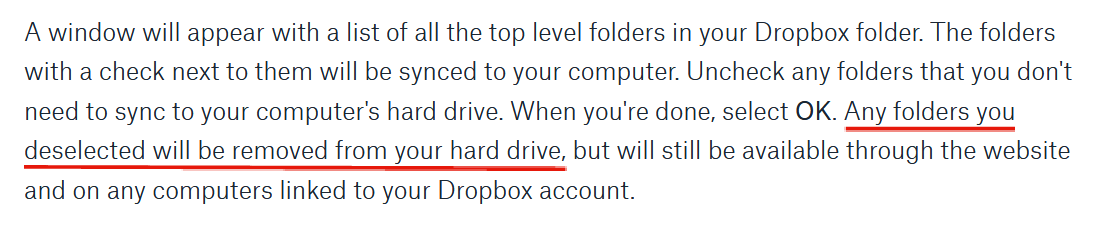
It clearly states that the folder will be removed; both in the documentation for the feature and in the confirmation that appears.
 7 years ago
You said:
"It's not like it even went into the trash can, which would be annoying but at least acceptable. If it's going to be PERMANENTALLY DELETED, such a warning should be present and made absolutely clear."
The key thing (which I haven' seen any of the previous responses point out) is that the files have not been permanently deleted. If you go into the selective sync box and re-enable syncing for the folder (it will be available there), then it will re-appear on your local computer. It will take downloading of the many gigabytes of the files from the cloud, so do it on a fast network connection, but they have not been deleted if you just did what it seems from context.
Good luck, hope you get your files back!


Source63
6 years agoHelpful | Level 5
No, it most certainly should not.
This is a total deviation form functionality, intended or otherwise, from previous releases - and is a sharp contrast to many other cloud sync tools we have ever used.
Example of old behaviour: Source folder that is shared across multiple devices. Each device needs a unique local config. Solution before last update? Uncheck the config file/folder. Now each computer has a local copy of their own config which does not overwrite all others, nor gets deleted by dropbox.
Since Update: All configs are destroyed. An outdated copy is possibly accessible through a convoluted web interface.
And that is why we cancelled all corporate and private accounts and are moving to Google Drive and GitLabs.
Dropbox have certainly dropped the ball on this one. Total deal breaker.

AnnoyedUser22
6 years agoNew member | Level 2
I NEVER write on these type of forums but this is beyond a joke. I was working in sync with a project on my work computer and I didn't want to massive amount of cache files to transfer over (100+ GBs) so I unsynced that folder. Just like everyone else on here it deleted all of my local files. Literally a week of simulation and data processing gone without a decent warning. I have a choice of waiting days for it download or days to redo all the work. Honestly this is a massive design flaw, I don't care how you think people should interpret the feature.
FIX this bug/feature now. This is surely not how people expect to work. I don't see how I can even use Dropbox from now on, I'm afraid to do anything incase it simply wipes the entire project without warning.
Local files should always stay safe! Massive warning boxes should pop over if local files are going to be wiped. This has thrown a massive spanner in my job. I don't even know what to say.
- CR10015 years agoHelpful | Level 6
A link to a statement from RICH SuperUser that Dropbox never behave different delete files from the local drive.
https://www.dropboxforum.com/t5/Dropbox-files-folders/News-on-selective-folder-and-option-that-prevent-deleting-these/m-p/402535/highlight/true#M147467- Rich5 years ago
Super User II
CR1001 wrote:
A link to a statement from RICH SuperUser that Dropbox never behave different delete files from the local drive.
And I'll state it here once again, confirmed by Dropbox themselves, that unchecking a folder within Selective Sync has ALWAYS removed the folder from the local drive. That it the entire purpose of that feature; to save space on the drive by removing the folders.
- CR10015 years agoHelpful | Level 6
Rich wrote:
CR1001 wrote:A link to a statement from RICH SuperUser that Dropbox never behave different delete files from the local drive.
And I'll state it here once again, confirmed by Dropbox themselves, that unchecking a folder within Selective Sync has ALWAYS removed the folder from the local drive. That it the entire purpose of that feature; to save space on the drive by removing the folders.
Thank you for replying again.
Here is another proof and thread that deleting files from a unsynced folder is a new behavior. Look thread date.
https://www.dropboxforum.com/t5/Dropbox-files-folders/How-to-manually-stop-sync-of-a-folder-but-still-retain-local/td-p/360922

About Delete, Edit, and Organize
Solve issues with deleting, editing, and organizing files and folders in your Dropbox account.
The Dropbox Community team is active from Monday to Friday. We try to respond to you as soon as we can, usually within 2 hours.
If you need more help you can view your support options (expected response time for an email or ticket is 24 hours), or contact us on X, Facebook or Instagram.
For more info on available support options for your Dropbox plan, see this article.
If you found the answer to your question in this Community thread, please 'like' the post to say thanks and to let us know it was useful!


