Our Community is in read-only mode until April 8th, learn more here. You can still search existing threads or get help via Dropbox Support, the Dropbox Help Center, or Learn.
Forum Discussion

NB14
2 years agoHelpful | Level 5
Rewind Feature doesn't seem to work as expected.....
Hi ... I'm having issues when testing Rewind/Versioning using Windows 11 Workstation - MS Edge .. I hope the below makes sense, I've put the text in bold for the questions... Thanks in advance. ...

Megan Dropbox Community Moderator
2 years agoDropbox Community ModeratorHey NB14, okay let's try a few things: first thing is to try the same process on a folder path outside of your Documents path.
And while you're at it, can you also try a different browser altogether, please?

NB14
2 years agoHelpful | Level 5
Hi Megan
Ok ... Now using Chrome and spun up a new MS Windows 11 Pro VM, the test folder is now in the Root of the Dropbox V174.4.5852 folder. I hope I'm not coming across as pedantic. I'm just fully testing this Rewind feature as I have seen ransom software do it's worst first hand, hence I want to make sure that I have a robust roll back plan in place before migrating my files.
Kind Regards ... 🙂
I still can't get this to work correctly .... Restoring a folder (Test02) with it's contents (text Files) doesn't work for me. The folder restores fine but without the contents.
Also I have noticed after numerous tries the Fine tune feature sometimes restores a the last file/event that isn't/can't be selected. However this doesn't always work and the last file/event is sometimes missed from the restore.
Can you get somebody to try and replicate what I'm doing to see if they get the same results?
- Hannah2 years ago
Sorry to jump in here, NB14, but have you tried restoring these files through the deleted files page? And if so, are they getting restored successfully?
- NB142 years agoHelpful | Level 5
Hi Hannah ... Thanks for your reply ...
Have you tried restoring these files through the deleted files page? And if so, are they getting restored successfully?
I have and yes they are getting restored successfully ... Perhaps its me but I'm not getting the rewind feature...
- If you delete a folder(s) containing files or folders these can be restored up to 30days (on my plan) from the Deleted page/recycle bin.
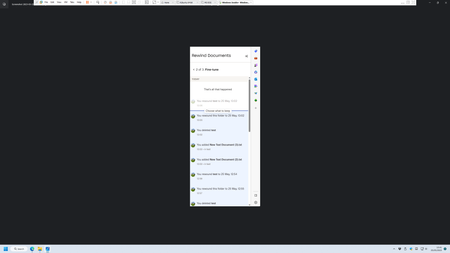
For me using the rewind feature to restore deleted files fails, but I assumed it should do the same thing as the recycle bin for up to 30 days. - If you rename files or data becomes maliciously encrypted you should be able to use rewind to restore your data to an earlier time up to 30 days. This seems to work for me apart from the Fine Tune for me doesn't allow the last event to be restored. If the last event was to encrypt or rename your documents folder it can't be selected to be included in the restore (see previous pic showing the unselected text file). The work around for me was to create a separate new folder and allow this to sync. This then becomes the last event allowing you to select the documents folder which now has been demoted to the second event to be restored.... Not ideal.
Perhaps I'm at fault by not fully understanding the product ..... open to feedback... kind regards
- Walter2 years ago
Hey NB14, sorry to jump in here, but if you're still having issues with this, we could send you an email to have a further look internally.
Let us know here if you'd like that and we'll reach out via the email address that's connected to your profile here, on the Community.
Thanks!
- If you delete a folder(s) containing files or folders these can be restored up to 30days (on my plan) from the Deleted page/recycle bin.


About Delete, Edit, and Organize
Solve issues with deleting, editing, and organizing files and folders in your Dropbox account.
The Dropbox Community team is active from Monday to Friday. We try to respond to you as soon as we can, usually within 2 hours.
If you need more help you can view your support options (expected response time for an email or ticket is 24 hours), or contact us on X, Facebook or Instagram.
For more info on available support options for your Dropbox plan, see this article.
If you found the answer to your question in this Community thread, please 'like' the post to say thanks and to let us know it was useful!


