Our Community is in read-only mode until April 8th, learn more here. You can still search existing threads or get help via Dropbox Support, the Dropbox Help Center, or Learn.
Forum Discussion

Zandiver
2 years agoHelpful | Level 5
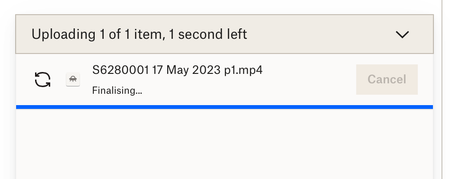
1.84 GB mp4 sync stuck on "finalizing" during website upload
My iMac keeps freezing because it's having problems uploading and syncing a 1.84 GB mp4 file. I have v175.4.5569 of the desktop app installed. This has been going on for 3 days now. I've checked my p...

Jay Dropbox Community Moderator
2 years agoDropbox Community ModeratorCould you try renaming the file and moving it to a different folder in your Dropbox folder?
If you're not seeing any icons in Finder, could you try these steps?
 Zandiver2 years agoHelpful | Level 5
Okay, I have moved the file to a different folder and renamed it. The desktop app says it is updating, but Finder shows nothing, i.e. no icons.
I updated System Settings > Privacy & Security > Full Disk Access and toggled Dropbox on. But I was a bit too fast and clicked Restart Now instead of Later. When I went to Accessibility there is no Dropbox option 😞
Device date & time is perfect, and everything else checks out okay too.
What next?
- Hannah2 years ago
Hey Zandiver, sorry to jump in here.
Have you tried quitting the Dropbox application and then restarting it from your Applications folder?
If you haven't already, make sure to restart the computer too.
- Zandiver2 years agoHelpful | Level 5
I tried quitting the desktop app, then restarting my iMac. Dropbox is still "updating" the file. All other files sync okay, it's just that one file that's a problem. I have moved it to a different folder and renamed the file, but still it won't sync. I can play the video on my local system, but for some reason it just won't sync to Dropbox. I'm lost for ideas and hope one of you bright people will come up with a solution, or ways I can troubleshoot it.

About Create, Upload, and Share
Find help to solve issues with creating, uploading, and sharing files and folders with Dropbox.
The Dropbox Community team is active from Monday to Friday. We try to respond to you as soon as we can, usually within 2 hours.
If you need more help you can view your support options (expected response time for an email or ticket is 24 hours), or contact us on X, Facebook or Instagram.
For more info on available support options for your Dropbox plan, see this article.
If you found the answer to your question in this Community thread, please 'like' the post to say thanks and to let us know it was useful!


