Our Community is in read-only mode until April 8th, learn more here. You can still search existing threads or get help via Dropbox Support, the Dropbox Help Center, or Learn.
Forum Discussion

mattiaa
3 years agoExplorer | Level 3
Can no longer copy folder link from Mac OS Finder
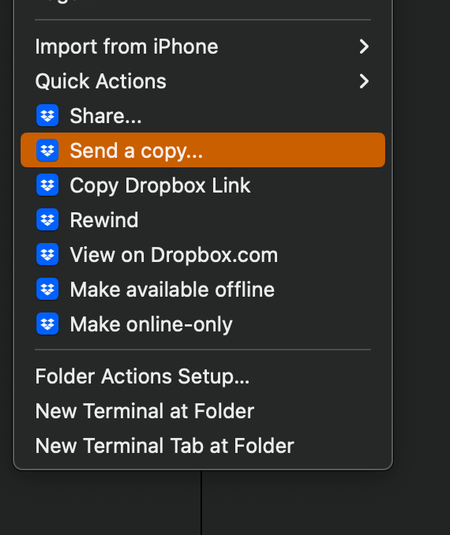
hello, Mac OS Ventura 13.0.1 (22A400) - when I right click on a folder and select "Copy Dropbox link" nothing is copied to the clipboard. I have restarted Finder, restarted the machine, reinstalled ...


Megan Dropbox Community Moderator
3 years agoDropbox Community ModeratorHi Gr8sons, it might sound trivial, but have you re-started your device, by any chance?
Also, feel free to send me a few screenshots of what you see when you right click on a file/folder, in order for me to have a visual of the steps you described above.

Gr8sons
3 years agoHelpful | Level 5
Yeah, I've restarted several times. I always shut down at the end of the day and, interestingly, today the Dropbox app didn't auto-launch at start up. The System Settings have changed in Ventura so I don't seem to find a way to set/review the apps that are set to auto-launch.
The non-working menu options persist.
Screen shots attached.
About Create, Upload, and Share
Find help to solve issues with creating, uploading, and sharing files and folders with Dropbox.
The Dropbox Community team is active from Monday to Friday. We try to respond to you as soon as we can, usually within 2 hours.
If you need more help you can view your support options (expected response time for an email or ticket is 24 hours), or contact us on X, Facebook or Instagram.
For more info on available support options for your Dropbox plan, see this article.
If you found the answer to your question in this Community thread, please 'like' the post to say thanks and to let us know it was useful!


