Our Community is in read-only mode until April 8th, learn more here. You can still search existing threads or get help via Dropbox Support, the Dropbox Help Center, or Learn.
Forum Discussion

mattiaa
3 years agoExplorer | Level 3
Can no longer copy folder link from Mac OS Finder
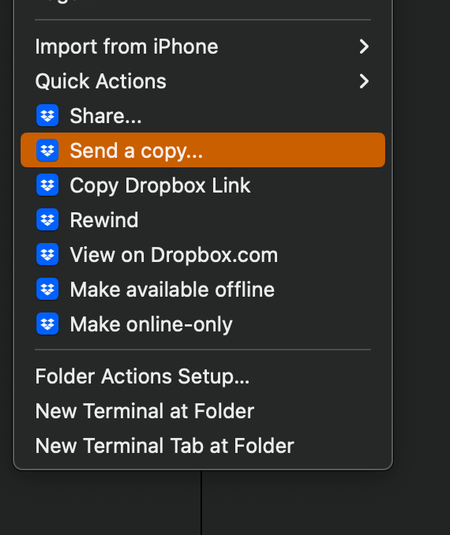
hello, Mac OS Ventura 13.0.1 (22A400) - when I right click on a folder and select "Copy Dropbox link" nothing is copied to the clipboard. I have restarted Finder, restarted the machine, reinstalled ...

roxyk
3 years agoHelpful | Level 5
I have uninstalled and reinstalled the app, as well as restarted my computer several times. I believe this is an issue caused by the new Mac OS software Ventura, as I didn't have this issue before upgrading to the new OS version, as well as experiencing other issues related to Ventura. Dropbox version is 169.4.5684

Jay Dropbox Community Moderator
3 years agoDropbox Community ModeratorHi roxyk, thanks for the info, I'd recommend contacting the support team directly for further assistance on their end.
 rastro23 years agoExplorer | Level 4
Same here. The issue started with Ventura. I have uninstalled and reinstalled dropbox. Quit and restarted it. Shut down the computer and restarted, etc.
About Create, Upload, and Share
Find help to solve issues with creating, uploading, and sharing files and folders with Dropbox.
The Dropbox Community team is active from Monday to Friday. We try to respond to you as soon as we can, usually within 2 hours.
If you need more help you can view your support options (expected response time for an email or ticket is 24 hours), or contact us on X, Facebook or Instagram.
For more info on available support options for your Dropbox plan, see this article.
If you found the answer to your question in this Community thread, please 'like' the post to say thanks and to let us know it was useful!


