Your workflow is unique 👨💻 - tell us how you use Dropbox here.
Forum Discussion

Ted G.
6 years agoCollaborator | Level 8
Can't drag Files to Dropbox Folder in Catalina
Hello,
In catalina I am no longer able to drag files in finder into the dropbox folder. The selected object just sort of springs back into place and will not enter the Dropbox folder.

BrantInPaloAlto
6 years agoHelpful | Level 6
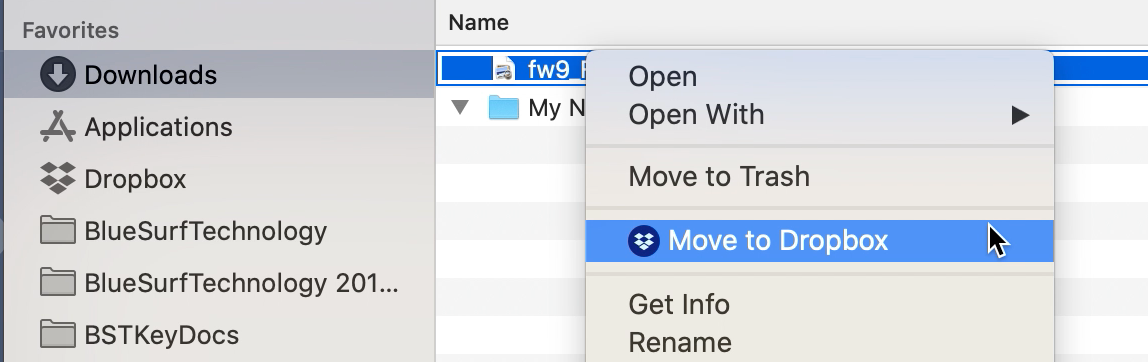
Agree we need a real fix to the issue but did you see my post that if you right click the file and do "add to dropbox" that works at least as a temporary solution?
dragdropper
6 years agoHelpful | Level 5
I saw your post and tried it by clicking on the link but it didnt work.
- BrantInPaloAlto6 years agoHelpful | Level 6
Like this? (works for me)
- jbaltd6 years agoHelpful | Level 5
:( quite frustrating.
The files just jump back.
HELP DROPBOX guys ... !! HELP
- BrantInPaloAlto6 years agoHelpful | Level 6
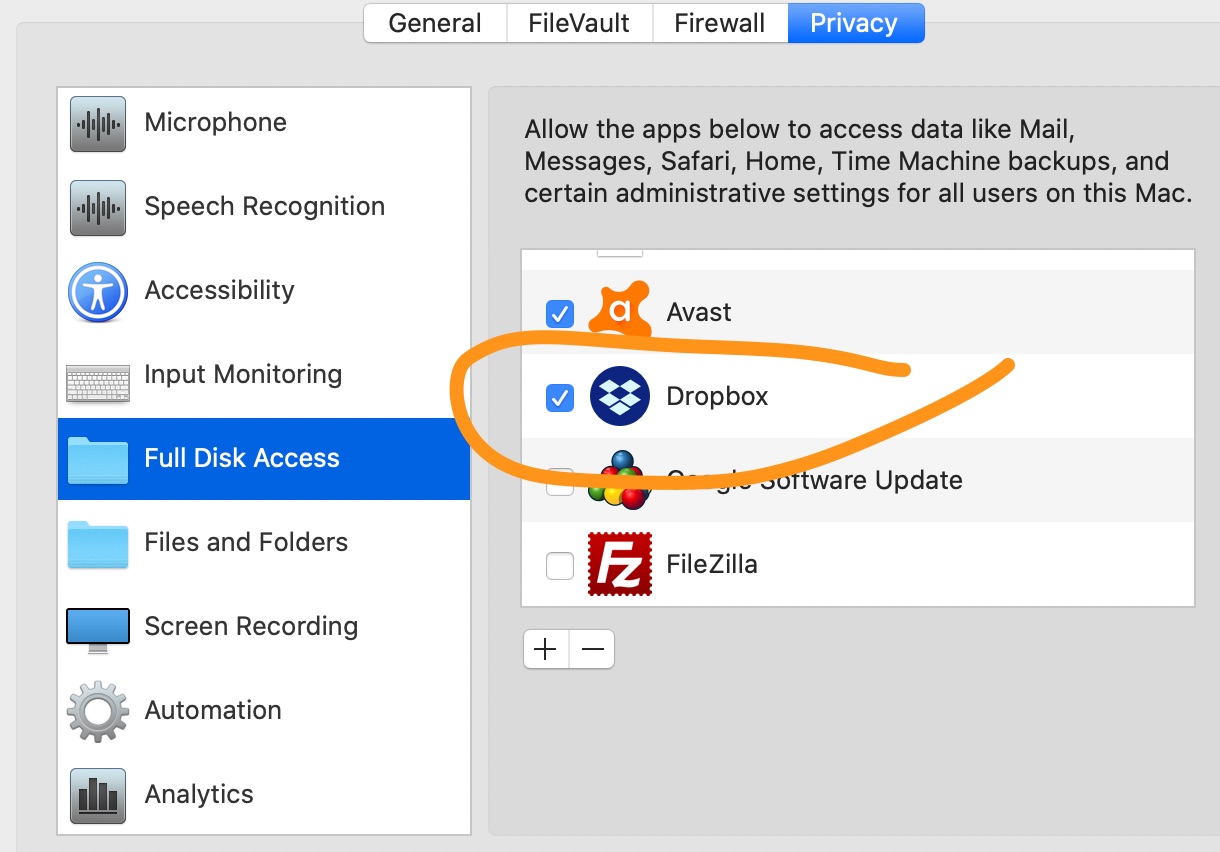
Did you grant DropBox full file access? Once I did that I could do the "move to dropbox" action. Drag and drop isn't working still but that helped me a lot.
About Create, Upload, and Share
Find help to solve issues with creating, uploading, and sharing files and folders with Dropbox.
The Dropbox Community team is active from Monday to Friday. We try to respond to you as soon as we can, usually within 2 hours.
If you need more help you can view your support options (expected response time for an email or ticket is 24 hours), or contact us on X, Facebook or Instagram.
For more info on available support options for your Dropbox plan, see this article.
If you found the answer to your question in this Community thread, please 'like' the post to say thanks and to let us know it was useful!


