Your workflow is unique 👨💻 - tell us how you use Dropbox here.
Forum Discussion

SIRADA
3 years agoExplorer | Level 3
Dropbox Capture cannot uploading any screenshot or record
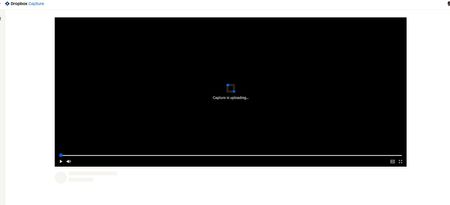
I have tried using Dropbox capture several times, but it still cannot upload any screenshots or records. Every time the Dropbox Capture shows me this and can do nothing more. How can I fix this p...

Megan Dropbox Community Moderator
3 years agoDropbox Community ModeratorHi SIRADA, would it be okay for me to reach out via email, in order for us to have a closer look into this?
 SIRADA3 years agoExplorer | Level 3
Of course
[Removed as per Community Guidelines] kizza892 years agoExplorer | Level 3
I'm having the exact same issue.
Signed up today, downloaded the app, none of my recordings get uploaded, just in a perpetual state of loading.
I Also find when i open the app (by click on the icon), it pops up in my taskbar, but the app doesnt actually show. I need to click the icon on the task bar 2 or 3 times for it to show up.
i'm using windows 11, all firmware and application downloads are up to date.
- kizza892 years agoExplorer | Level 3
I was playing around with different preferences, and after turning the "Show in taskbar" option off, it has seem to resolve both issues. I will keep an eye on it though.
Also, when I share my video with an external user/guest, there isn't an option for them to provide comments - is this correct?
- kizza892 years agoExplorer | Level 3
wal
Hi Walter,
Another bug for you - please see Loom video - https://www.loom.com/share/674c12b51989470d8a1a9c1c33848642
I wasn't able to close the DropBox capture application...
This doesn't add much Value...but i was pretty keen to jump on to the DropBox capture solution, but within a few hours of playing around there are already a handful of bugs that doesn't make this a suitable solution for me and my business.
Hopefully these can be addressed. - Hannah2 years ago
Are you getting an error message, when trying to upload it through the camera icon above the reply box?


About Create, Upload, and Share
Find help to solve issues with creating, uploading, and sharing files and folders with Dropbox.
The Dropbox Community team is active from Monday to Friday. We try to respond to you as soon as we can, usually within 2 hours.
If you need more help you can view your support options (expected response time for an email or ticket is 24 hours), or contact us on X, Facebook or Instagram.
For more info on available support options for your Dropbox plan, see this article.
If you found the answer to your question in this Community thread, please 'like' the post to say thanks and to let us know it was useful!


