Your workflow is unique 👨💻 - tell us how you use Dropbox here.
Forum Discussion

xuser06
3 years agoHelpful | Level 6
External hard drive won't back up on Mac desktop app
I am currently not able to get any external hard drive to backup to Dropbox backup.
I have previously backed one up successfully, but then that backup got corrupted and had to be deleted.
...

xuser06
3 years agoHelpful | Level 6
Hi Megan,
OS - Macbook Pro (Apple M1) on Ventura 13.1
Drive - is 4TB, and the format is "Mac OS Extended (Journaled)"
Desktop app is v163.4.5456. It currently says it's status is "Done" in the backup desktop app.
Thanks

Nancy Dropbox Community Moderator
3 years agoDropbox Community ModeratorHey xuser06! Sorry for jumping in.
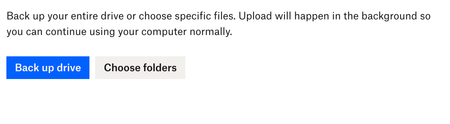
Can you try something else as a test? What I’d like you to do is open your Backup page, click on “Manage backups” and “Open Backup settings” and try to select this external drive and back it up.
Let me know how this goes and if you see any difference.
- xuser063 years agoHelpful | Level 6
I've tried that several times, and it only leads to the same outcomes that I described in the original post.
The drive is recognized.
I click to back it up.
But nothing actually happens or gets backed up.
Thanks for your reply.
Let me know if there's anything else to try.
- Jay3 years ago
Hi xuser06, it can take some time to begin backing up the drive when you first enable it. How long have you waited for the process to be completed?
- xuser063 years agoHelpful | Level 6
About 14 hours - the better part of a day and overnight.
When still nothing had happened by the following morning I presumed it wasn't working.

About Create, Upload, and Share
Find help to solve issues with creating, uploading, and sharing files and folders with Dropbox.
The Dropbox Community team is active from Monday to Friday. We try to respond to you as soon as we can, usually within 2 hours.
If you need more help you can view your support options (expected response time for an email or ticket is 24 hours), or contact us on X, Facebook or Instagram.
For more info on available support options for your Dropbox plan, see this article.
If you found the answer to your question in this Community thread, please 'like' the post to say thanks and to let us know it was useful!


