Need to see if your shared folder is taking up space on your dropbox 👨💻? Find out how to check here.
Forum Discussion

cmonnahan
2 years agoExplorer | Level 3
Fix Existing Button for Camera Uploads on the desktop
Hello,
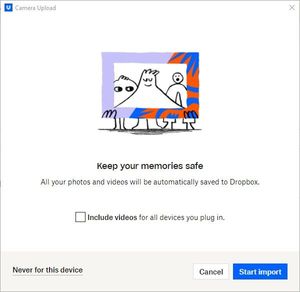
Anytime I place a disc into my disc drive that contains files or photos, I receive a pop-up notification from Dropbox asking if I'd like to upload items to a Dropbox Folder. In the lowe...

Rich Super User II
2 years agoSuper User II
cmonnahan wrote:
At first I thought it was a per disc kind of deal; I'd just have to make my peace with having to click this button forever.
If you have no intention of using the feature ever, just disable Camera Uploads so you never get this prompt in the first place. Go into the Autoplay settings on your computer and change it from Import photos and videos (Dropbox) to Take no action or any other option.
About Create, upload, and share
Find help to solve issues with creating, uploading, and sharing files and folders in Dropbox. Get support and advice from the Dropbox Community.
The Dropbox Community team is active from Monday to Friday. We try to respond to you as soon as we can, usually within 2 hours.
If you need more help you can view your support options (expected response time for an email or ticket is 24 hours), or contact us on X, Facebook or Instagram.
For more info on available support options for your Dropbox plan, see this article.
If you found the answer to your question in this Community thread, please 'like' the post to say thanks and to let us know it was useful!


