We’re Still Here to Help (Even Over the Holidays!) - find out more here.
Forum Discussion

Segothic
3 years agoHelpful | Level 5
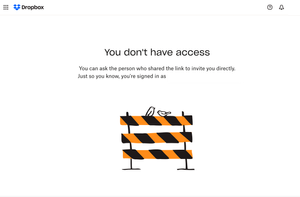
I see No Access screen when I go to the link received from the other team member.
I see No Access screen (image below) when I go to the link (generated by right-click and Copy Dropbox Link function on Mac) received from the other team member. If I make the link, it works. There i...

Nancy Dropbox Community Moderator
3 years agoDropbox Community ModeratorHi everyone! I hope you’re all doing well.
Do you mind if we open separate support tickets for you, in order to check this further?
Let me know, and we can get things started.

vtay
3 years agoHelpful | Level 5
Yes please. It is getting to be very inconvenient, as we are used to just sending the links to team members to let them know where certain files are located. Now, we have to type out the directory path for people to find stuff. Would appreciate if the feature can be reinstated to what was working perfectly well before. Thank you!
About Create, upload, and share
Find help to solve issues with creating, uploading, and sharing files and folders in Dropbox. Get support and advice from the Dropbox Community.
The Dropbox Community team is active from Monday to Friday. We try to respond to you as soon as we can, usually within 2 hours.
If you need more help you can view your support options (expected response time for an email or ticket is 24 hours), or contact us on X, Facebook or Instagram.
For more info on available support options for your Dropbox plan, see this article.
If you found the answer to your question in this Community thread, please 'like' the post to say thanks and to let us know it was useful!


