We’re Still Here to Help (Even Over the Holidays!) - find out more here.
Forum Discussion

Segothic
3 years agoHelpful | Level 5
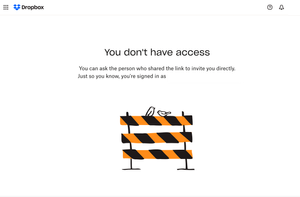
I see No Access screen when I go to the link received from the other team member.
I see No Access screen (image below) when I go to the link (generated by right-click and Copy Dropbox Link function on Mac) received from the other team member. If I make the link, it works. There i...

achiesuk
2 years agoExplorer | Level 3
hi Nancy
I can see the shared links that Walter mentioned, that is not an issue. But the issue here is that I need thes elinks in bulk, which Dropbox fails to provide a way to get unfortunately. I had to find away to produce such links in bulk, whcih i did, and they worked for a year+, but now they stopped and I am getting the error message I shared above.
I used the same method to create all links for all images, but for 90% of them I am being denied access now by Dropbox, for the 10% I atill have access, which is odd. See below a couple of examples:
one works:
and the other does not:
https://www.dropbox.com/sh/ue9b93afibqj12e/AACnE9dIYOYtdLEiaym68w2Xa/DDCA201_1.jpg?dl=1
I simply don't understand why Dropbox is denying access to the bulk of these links, that is my problem
I hope you can help

Walter Dropbox Community Moderator
2 years agoDropbox Community ModeratorThanks for the additional information achiesuk
May I ask if the shared links that aren't working point to files that might have been deleted from your account?
Are you the owner of the files or somebody else?
- achiesuk2 years agoExplorer | Level 3
hi Walter
none of the files in quetsion have been delete.
I am the owner of the files, correct. They are inside my dropbox account
Please let me know your views
About Create, upload, and share
Find help to solve issues with creating, uploading, and sharing files and folders in Dropbox. Get support and advice from the Dropbox Community.
The Dropbox Community team is active from Monday to Friday. We try to respond to you as soon as we can, usually within 2 hours.
If you need more help you can view your support options (expected response time for an email or ticket is 24 hours), or contact us on X, Facebook or Instagram.
For more info on available support options for your Dropbox plan, see this article.
If you found the answer to your question in this Community thread, please 'like' the post to say thanks and to let us know it was useful!


