We're making some changes to the Dropbox Community 👩💻 - Find out more here.
Forum Discussion

albe_rola
1 year agoNew member | Level 2
My files keep getting switched to "online-only" (Mac)
This week it happened twice that I open my dropbox folder and all my files have been offloaded.
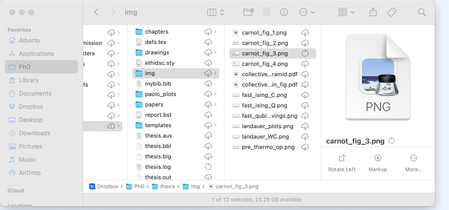
Despite the fact that I explicitly put in the settings that my files should be kept offline. (see att...
- 1 year ago
albe_rola wrote:
Despite the fact that I explicitly put in the settings that my files should be kept offline.I can't speak to why it happened and I'll leave that for the Mac experts, but that setting doesn't do what you believe it does.
The How do you want to store new files? option specifically refers to new files that are synced down to the computer from your account (i.e. new files added to Dropbox.com or from another device). Such files will sync down to the computer and be marked as available offline.
It's not a setting to tell Dropbox to keep all of your files available offline. For that, you should be able to select your files, right-click and select Make available offline. Once synced, the sync icon would be a green circle with a white check mark on each file.


Hannah Dropbox Community Moderator
1 year agoDropbox Community ModeratorHey albe_rola, thanks for reaching out to the Dropbox Community.
Are you currently using the Dropbox for macOS on File Provider version of the Dropbox app?
Also, do you happen to be low on hard drive space?
If both of the above are true, then this is expected behavior for this version of the app.
You can see more expected changes and scenarios about this version here.
We do appreciate your feedback, though, and I'll make sure to pass your comments along to the team.
Thanks again.
 albe_rola1 year agoNew member | Level 2
Thanks a lot for the feedback. Indeed my Dropbox is on File Provider, and I have 17GB of disk space. Which I do not personally consider low, but maybe it's below the threshold.
Then if I can make my feedback more precise: the way the sync preferences are currently displayed is very misleading. Because the "available offline" option is the only option there that is about keeping files offline. If there was an option to make it so that the default is that the files are always available offline (instead of right-clicking each folder), then the distinction would be clearer.
About Create, Upload, and Share
Find help to solve issues with creating, uploading, and sharing files and folders with Dropbox.
The Dropbox Community team is active from Monday to Friday. We try to respond to you as soon as we can, usually within 2 hours.
If you need more help you can view your support options (expected response time for an email or ticket is 24 hours), or contact us on X, Facebook or Instagram.
For more info on available support options for your Dropbox plan, see this article.
If you found the answer to your question in this Community thread, please 'like' the post to say thanks and to let us know it was useful!


