We’re Still Here to Help (Even Over the Holidays!) - find out more here.
Forum Discussion

banksiaboy
7 years agoHelpful | Level 5
Re: How can I clear notifications
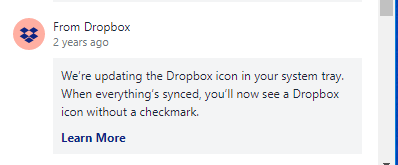
This is ridiculous. I know of no other system that does not let you clear notifications. Some of mine have no menu [...], and if they do, there is no remove. I have ones from Dropbox that are three years old. I'm running Windows 10 Pro.
You should be able hide acknowledged notifications, search and select notifications, delete or acknowlege selected notifications.
4 Replies
Replies have been turned off for this discussion
 dvmierlo7 years agoHelpful | Level 6
In Dropbox version 81.3.190 still no sign for clearing notifications.
Can anyone at Dropbox please explain why a simple funtionality as clearing notifications is not implemented yet???
- Rich7 years ago
Super User II
dvmierlo wrote:
Can anyone at Dropbox please explain why a simple funtionality as clearing notifications is not implemented yet???
Dropbox doesn't comment on what features may be planned, or their ETA.
- dvmierlo7 years agoHelpful | Level 6
Hi Rich,
Thanks for your reply. Honestly I hoped that it was a more customer oriented one. My question is why, and as you can read in this thread I'm not the only one, this simple functionality is not implemented?
I believe that Dropbox does not want to frustrate their paying users (I am one of them) by not implementing a simple function as this.
 ChB7 years agoHelpful | Level 5
The Notifcation Bug -- notifcations going back many years and no ability to delete/clear list -- still NOT fixed as of Dropbox desktop version: v84.3.145 on October 17, 2019.

About Create, upload, and share
Find help to solve issues with creating, uploading, and sharing files and folders in Dropbox. Get support and advice from the Dropbox Community.
The Dropbox Community team is active from Monday to Friday. We try to respond to you as soon as we can, usually within 2 hours.
If you need more help you can view your support options (expected response time for an email or ticket is 24 hours), or contact us on X, Facebook or Instagram.
For more info on available support options for your Dropbox plan, see this article.
If you found the answer to your question in this Community thread, please 'like' the post to say thanks and to let us know it was useful!


