Your workflow is unique 👨💻 - tell us how you use Dropbox here.
Forum Discussion

sheridap
3 years agoNew member | Level 2
Why am I getting a "Can't create folder" error when attempting to create a folder via web ui?
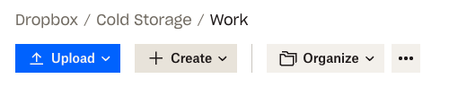
see screenshots below on the sequence. very frustrating an lacking in-app help of any kind to explain why.
thanks in advance for help/ thoughts.
1 - navigate to menu
2 - select crea...

FCBC
3 years agoNew member | Level 2
I'm also getting the exact same error. For me, it's not a shared folder.

Walter Dropbox Community Moderator
3 years agoDropbox Community ModeratorHi FCBC, sorry to hear about this.
Could you clear your browser's cache and/or try another browser?
If you do and still get the same results, please send us a screenshot so that we can have a visual too.
Thanks!
- Arthur Zey3 years agoExplorer | Level 4
I own the containing folder.
I just cleared cache and cookies and logged in again.
Tried to create a folder the same way as the OP; got this error:
Chrome 107.0.5304.62 on macOS 13.0.
Just tried on Android app 305.1.4 on Pixel 7 Pro:
Aside from the UI bug that I reported months ago and doesn't seem to be a priority to fix (the fact that the contents of the text field are offset and cut off), I can't create a folder that way, either.
But files seem to be syncing across devices just fine.
- Arthur Zey3 years agoExplorer | Level 4
Nevermind. I guess it was a transient issue that resolved itself. Just a bit annoying that Dropbox status shows no downtime or degradation of services, which feels quite deceptive.
- Megan3 years ago
Hi Arthur Zey, thanks for posting here today!
I'm glad this was a fleeting issue, that resolved itself. Keep in mind that it could be related to your browser, hence the lack of reports on the status page.
I hope this clarifies.


About Create, Upload, and Share
Find help to solve issues with creating, uploading, and sharing files and folders with Dropbox.
The Dropbox Community team is active from Monday to Friday. We try to respond to you as soon as we can, usually within 2 hours.
If you need more help you can view your support options (expected response time for an email or ticket is 24 hours), or contact us on X, Facebook or Instagram.
For more info on available support options for your Dropbox plan, see this article.
If you found the answer to your question in this Community thread, please 'like' the post to say thanks and to let us know it was useful!


