Your workflow is unique 👨💻 - tell us how you use Dropbox here.
Forum Discussion

bleachers
5 months agoNew member | Level 2
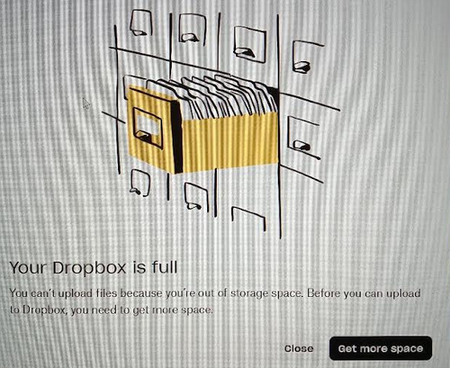
A colleague that uploaded a file to my shared folder got a message that their Dropbox is full
Dropbox Plan N/A Device N/A Operating System/Browser (if using the web) N/A Dropbox App Version (if using the app) N/A
Question or Issue I have used 3.78 GB of 6.75 GB of my person...
- 5 months ago
As your colleague has had that error it is their Dropbox which is full, as it says, not yours.
Shared folders use the space and quota of every person in the share so your free space does not benefit the other person at all.
https://help.dropbox.com/storage-space/shared-folder-count-against-storage


bleachers
5 months agoNew member | Level 2
Oh, you mean THEIR Dropbox is full. Now I understand. Thanks.
- Theresa5 months ago
Community Manager
Hi there bleachers and welcome to the Dropbox Community. I’m really glad to hear things are all sorted now.
I’m Theresa 👩💻, one of the community managers here on the forum. I love jumping into conversations like this or starting new ones across the board. Now that things are working smoothly again, I’d love to know.. do you have a favourite Dropbox feature that makes collaboration easier for you?
Looking forward to hearing more,
T😸 (Dropbox Community Manager)

About Storage Space
Looking for help with managing the storage space in your Dropbox account? Talk to the Dropbox Community and get advice from members.
The Dropbox Community team is active from Monday to Friday. We try to respond to you as soon as we can, usually within 2 hours.
If you need more help you can view your support options (expected response time for an email or ticket is 24 hours), or contact us on X, Facebook or Instagram.
For more info on available support options for your Dropbox plan, see this article.
If you found the answer to your question in this Community thread, please 'like' the post to say thanks and to let us know it was useful!


