Your workflow is unique 👨💻 - tell us how you use Dropbox here.
Forum Discussion

AnnGordon
2 years agoExplorer | Level 4
Dropbox is full but I have no files
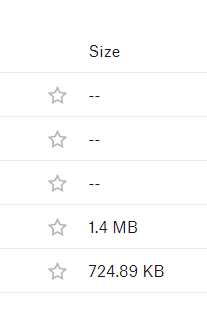
Hi, I was told my Dropbox was full so I deleted everything I don't need. I have checked the size of what I have left and it totals less than 3MB. Am I missing something? Thanks, Ann ...
- 2 years ago
Hi AnnGordon, thanks for bringing this to our attention.
Could you try checking your backups page to see if you have any currently active?
This will help me to assist further!


Megan Dropbox Community Moderator
2 years agoDropbox Community ModeratorHi Sarakatrine, have you tried accessing your account online, and checking both your home page, and your sharing tab?
You should be able to see all of your content there, even if your account is full. Let me know what you find!

Sarakatrine
2 years agoExplorer | Level 4
Thank you! I was able to see it! Thought I transferred everything to an external hard disk but 6 years ago now so I have to check it again, but does the file stay in Dropbox even if I transfer it- did I only transfer a copy? Because then it explains it! And then I can just delete everything..maybe there’s an easy way to do that?
- Megan2 years ago
Hi Sarakatrine, it is possible that you copied the content, instead of moving it.
Once you're ready, you can select the content you need to delete, either online, or using the app and delete them.
About Storage Space
Looking for help with managing the storage space in your Dropbox account? Talk to the Dropbox Community and get advice from members.
The Dropbox Community team is active from Monday to Friday. We try to respond to you as soon as we can, usually within 2 hours.
If you need more help you can view your support options (expected response time for an email or ticket is 24 hours), or contact us on X, Facebook or Instagram.
For more info on available support options for your Dropbox plan, see this article.
If you found the answer to your question in this Community thread, please 'like' the post to say thanks and to let us know it was useful!


