Your workflow is unique 👨💻 - tell us how you use Dropbox here.
Forum Discussion

xtermalq
1 month agoNew member | Level 2
How can I make my files “online-only” to free up hard drive space?
Hi!
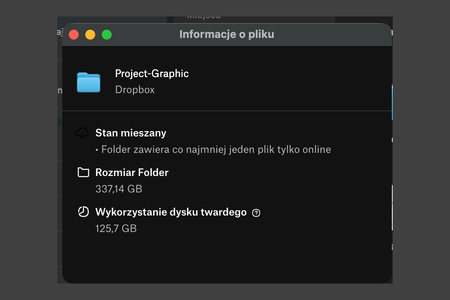
I’m on macOS and I use Dropbox with the “online-only” option (Smart Sync). Downloading/working with files is fine, but after I open/download things once, some of them remain stored locally. For...

Hannah Dropbox Community Moderator
1 month agoDropbox Community ModeratorHey xtermalq, thanks for posting your question to our Community!
To easily set your files to online-only and free up hard drive space, you can use our "manage hard drive space" tool.
To use the tool:
- Click the Dropbox icon menu bar.
- Click your avatar (profile picture or initials).
- Click Manage hard drive space from the dropdown menu to open the tool.
- You can view and sort files by size and the date they were last modified.
- Check the boxes next to the files you’d like to make online-only.
- Click Move to online-only.
You can read more about the feature here.
If you have any questions, don't hesitate to let me know!
About Storage Space
Looking for help with managing the storage space in your Dropbox account? Talk to the Dropbox Community and get advice from members.
The Dropbox Community team is active from Monday to Friday. We try to respond to you as soon as we can, usually within 2 hours.
If you need more help you can view your support options (expected response time for an email or ticket is 24 hours), or contact us on X, Facebook or Instagram.
For more info on available support options for your Dropbox plan, see this article.
If you found the answer to your question in this Community thread, please 'like' the post to say thanks and to let us know it was useful!


