Need to see if your shared folder is taking up space on your dropbox 👨💻? Find out how to check here.
Forum Discussion

aquaport
4 years agoHelpful | Level 5
My Account Is Still Full - No Files, Back Ups, Attached Devices, Cache, Shares?
Hi - I have a 22.25 GB basic account with no Data in it. As I attempt to solve this issue, it states “Using 22 GB of 22.25 GB” & I keep getting notifications saying the account is full, and it isn't...
 4 years ago
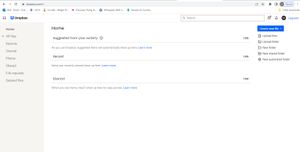
Just wanted to provide an update. With the HELP of these 2 individuals ... TY!!!! We were able to get to the bottom of it. As it turns out, I had a backup to an external drive, unbeknownst to me, that was the issue.
However, bear in mind that information does not show up in DropBox on your Desktop or within Dropbox on the Web?
The only way to find this is by going to the following URL:
https://www.dropbox.com/backups/external drive
NOTE: There is no "_" between "external drive"
I hope this alleviates some headaches for some!!
THANKS AGAIN NANCY & BOBBY!!!!!!!!
aquaport
4 years agoHelpful | Level 5
Just wanted to provide an update. With the HELP of these 2 individuals ... TY!!!! We were able to get to the bottom of it. As it turns out, I had a backup to an external drive, unbeknownst to me, that was the issue.
However, bear in mind that information does not show up in DropBox on your Desktop or within Dropbox on the Web?
The only way to find this is by going to the following URL:
https://www.dropbox.com/backups/external drive
NOTE: There is no "_" between "external drive"
I hope this alleviates some headaches for some!!
THANKS AGAIN NANCY & BOBBY!!!!!!!!

Nancy Dropbox Community Moderator
4 years agoDropbox Community ModeratorHey Deryk! Thanks for the update and I’m really glad to hear you were able to get to the bottom of this.
If you need something else, don’t hesitate to give me a shout.
Enjoy your weekend!
About Storage Space
Looking for help with managing the storage space in your Dropbox account? Talk to the Dropbox Community and get advice from members.
The Dropbox Community team is active from Monday to Friday. We try to respond to you as soon as we can, usually within 2 hours.
If you need more help you can view your support options (expected response time for an email or ticket is 24 hours), or contact us on X, Facebook or Instagram.
For more info on available support options for your Dropbox plan, see this article.
If you found the answer to your question in this Community thread, please 'like' the post to say thanks and to let us know it was useful!


