Need to see if your shared folder is taking up space on your dropbox 👨💻? Find out how to check here.
Forum Discussion

staticfax
3 years agoExplorer | Level 3
Storage full but there are no files.
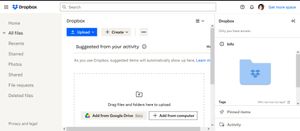
Deleted all files. says its full. checked all options and no files.
- 3 years ago
We can confirm that with the most recent releases of Dropbox that these issues should be resolved. Users affected by this issue were unable to see all of the backups on their account. This meant that when they believe they deleted some or all of their files, there could still be backups taking up space on their account. This should no longer be affecting users who should be able to see all of their backups.
You can find out deleted information on disabling and deleting backups below:
If you disable the backup and choose to "Leave content in Dropbox", your backup content would still be there until it was permanently deleted.
When you go to the Backups page and see no content, be sure to check the deleted section, too.
You can download the files from this location if you need to store them locally on your device.
To clear out the data from the deleted backup, follow these steps:- Navigate to
dropbox.com/backup/all - Click on
Show deleted backups - Select their backup and click on
permanently delete
Some users did not have backups, but they were members of shared folders which were taking up space on their accounts. You can remove shared folders using these instructions.
If you are still experiencing quota issues after following these steps, then confirm that we can reach out to you via email and our support agents will look into this with you. - Navigate to


Megan Dropbox Community Moderator
3 years agoDropbox Community ModeratorHi susanp81, I just sent you an email, I'll see you there!

susanp81
3 years agoExplorer | Level 4
I'm not sure what is supposed to happen now. What does "see you there" mean?
- susanp813 years agoExplorer | Level 4
Hannah, I did reply back to Megan and the email bounced back. I tried again with the same result. I simply hit "reply"--I didn't do anything unusual.
This was the message I got:
**********************************************
** THIS IS A WARNING MESSAGE ONLY **
** YOU DO NOT NEED TO RESEND YOUR MESSAGE **
**********************************************
The original message was received at Sat, 29 Apr 2023 08:48:44 -0400
from m0132169.ppops.net [127.0.0.1]
----- Transcript of session follows -----
<community@dropboxforum.com>... Deferred: Connection timed out with dropboxforum.com.
Warning: message still undelivered after 4 hours
Will keep trying until message is 5 days old
Since my first reply was two days ago, I'm not optimistic that the email will go through.I think it's time for me to give up on Dropbox. Can anyone recommend a good alternative? My storage needs are very basic.
- susanp813 years agoExplorer | Level 4
Thanks, Walter, but I got so frustrated that I deleted my Dropbox account.


About Storage Space
Looking for help with managing the storage space in your Dropbox account? Talk to the Dropbox Community and get advice from members.
The Dropbox Community team is active from Monday to Friday. We try to respond to you as soon as we can, usually within 2 hours.
If you need more help you can view your support options (expected response time for an email or ticket is 24 hours), or contact us on X, Facebook or Instagram.
For more info on available support options for your Dropbox plan, see this article.
If you found the answer to your question in this Community thread, please 'like' the post to say thanks and to let us know it was useful!


