We're making some changes to the Dropbox Community 👩💻 - Find out more here.
Forum Discussion

atmegadriverrr
3 years agoHelpful | Level 6
Android application doesn't work on latest android (Samsung S23)
Hello!
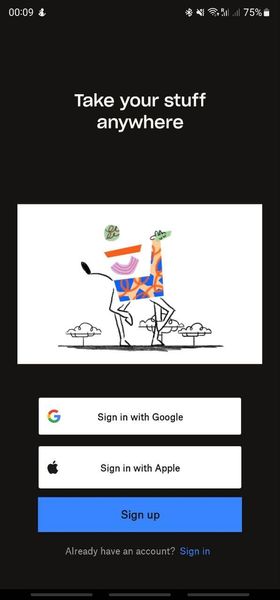
I'm trying to install the Dropbox application on my smartphone, but unfortunately something goes wrong.
First, as usual, I enter my credentials,
then 2-step verification code,
...
 3 years ago
The answer is simple: I just paid for "plus" plan and now all works fine.
But I don't understand, why the application does't simply inform the user about this issue? It really seems like the problem is in application, not in payment, free space or something else.
Hope that dropbox team will add some sort of notification or error screen.
Thank to all! Problem solved.
atmegadriverrr
3 years agoHelpful | Level 6
Hello, Hannah!
I've tryed:
1. Clear application data and cache: the application starts "from scratch", but the behaviour is the same.
2. Tryed to uninstall and install it again. The same.
3. Tryed to unistall, reboot the phone, install again. All the same...
Yes, I've cheched, there is no need in free phone space (more than 300 Gb available).
I've installed application on several phones and tablets, the problem appears only on my new one, as I wrote: Galaxy S23 Ultra.
I can provide the application log, if you tell me, where it's located.
Thank you!

Jay Dropbox Community Moderator
3 years agoDropbox Community ModeratorHi atmegadriverrr, are you on a Dropbox Basic plan and do you have more than 3 devices currently connected to your account?
- atmegadriverrr3 years agoHelpful | Level 6
Hello, Jay!
Yes, you're right, I found that I have more than 3 devices and free plan.
But nevertheless, I think, the application should notify the user about that issue, and not simply crash...
And I'm afraid that even if I buy the storage plan, the application wouldn't work.
Thank you!
- atmegadriverrr3 years agoHelpful | Level 6
Hoped, that there would be some changes, maybe updates, but nothing. Just tested - all the same.
But then I've found a comment from april 2022 (to be more precise, it's the top comment on play.market) with exactly the same problem.
Cite:
"Awful app. It started screen blinkin while login and password is been checked. I had to stop app. When I start it again it shows empty blue screen with white logo and does nothing. Stop adding features, fix bugs. By the way, the desktop app became awful too. It seems that dropbox team attempts to replace operating system and all software that I have. It's a bad idea. Make the best file sync app not another office-photoshop-etc. all-in-one."
It seems that the problem is present for at lest 1 year, but nobody fixes it.
- atmegadriverrr3 years agoHelpful | Level 6
The answer is simple: I just paid for "plus" plan and now all works fine.
But I don't understand, why the application does't simply inform the user about this issue? It really seems like the problem is in application, not in payment, free space or something else.
Hope that dropbox team will add some sort of notification or error screen.
Thank to all! Problem solved.
 Sta912 years agoExplorer | Level 4I have plus and it's still isn't working for me. There's no where it allows me to give permission to access storage or files and media. Permission is already given for everything floating photos. So frustrating!
About Apps and Installations
Have a question about a Dropbox app or installation? Reach out to the Dropbox Community and get solutions, help, and advice from members.
The Dropbox Community team is active from Monday to Friday. We try to respond to you as soon as we can, usually within 2 hours.
If you need more help you can view your support options (expected response time for an email or ticket is 24 hours), or contact us on X, Facebook or Instagram.
For more info on available support options for your Dropbox plan, see this article.
If you found the answer to your question in this Community thread, please 'like' the post to say thanks and to let us know it was useful!


