We're making some changes to the Dropbox Community 👩💻 - Find out more here.
Forum Discussion

atmegadriverrr
3 years agoHelpful | Level 6
Android application doesn't work on latest android (Samsung S23)
Hello!
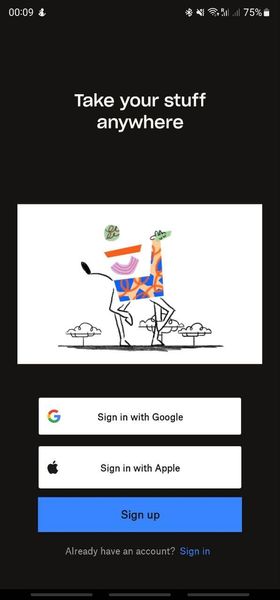
I'm trying to install the Dropbox application on my smartphone, but unfortunately something goes wrong.
First, as usual, I enter my credentials,
then 2-step verification code,
...
 3 years ago
The answer is simple: I just paid for "plus" plan and now all works fine.
But I don't understand, why the application does't simply inform the user about this issue? It really seems like the problem is in application, not in payment, free space or something else.
Hope that dropbox team will add some sort of notification or error screen.
Thank to all! Problem solved.

Sta91
2 years agoExplorer | Level 4
I have plus and it's still isn't working for me. There's no where it allows me to give permission to access storage or files and media. Permission is already given for everything floating photos. So frustrating!
Mrskelbo
2 years agoNew member | Level 2
Me too. I pay for the plus and have done for several years. But for some reason, despite all possible permissions being granted...it's still telling me to go to phone settings and allow access to storage but that's not an option in permissions on the Samsung s23 Ultra. The app has not backed up any photos since December 2023. But pointless oayi G for something if its not doing what it's supposed to do. Really disappointing after using Dropbox since 2015.


About Apps and Installations
Have a question about a Dropbox app or installation? Reach out to the Dropbox Community and get solutions, help, and advice from members.
The Dropbox Community team is active from Monday to Friday. We try to respond to you as soon as we can, usually within 2 hours.
If you need more help you can view your support options (expected response time for an email or ticket is 24 hours), or contact us on X, Facebook or Instagram.
For more info on available support options for your Dropbox plan, see this article.
If you found the answer to your question in this Community thread, please 'like' the post to say thanks and to let us know it was useful!


