Your workflow is unique 👨💻 - tell us how you use Dropbox here.
Forum Discussion

Andre F.3
2 years agoExplorer | Level 4
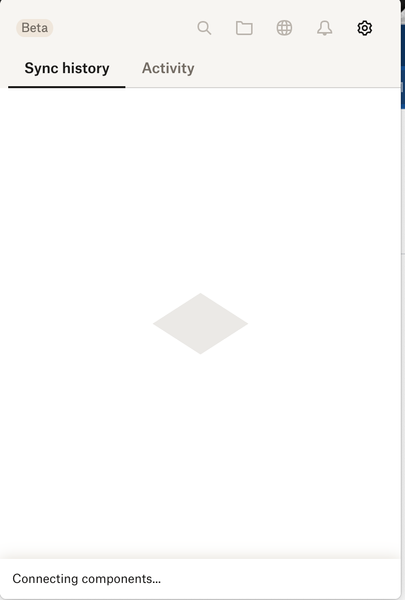
Dropbox app stuck on "Connecting components"
Everytime when dropbox starts the message "connecting components" and it took forever.

Megan Dropbox Community Moderator
2 years agoDropbox Community ModeratorHey there, Andre F.3! Let's see what we can do here.
Just to confirm, which version of the app is causing this syncing issue? Are you possibly using a beta version denoted xx.3.xxx?
Please also let me know which OS and version your computer is running, so that I can suggest accurate troubleshooting steps.
Keep me posted!

Andre F.3
2 years agoExplorer | Level 4
Sorry about my poor English
version 183.3.6931
MacOS Ventura 13.5.2 (22G91)
- Jay2 years ago
Hi Andre F.3, thanks for the info. it looks like you’re running the beta version of the Dropbox desktop application.
To install our latest stable version, visit this page and switch ‘Early releases’ to Off. Afterwards, re-download the app from here.
Keep me updated with any progress!
 jsouthto2 years agoNew member | Level 2
I have the same issue. Cannot open finder. Fileproviderd at max CPU, Dropbox stuck on 'Connecting Components'
Mac version 184.2.5052 - which says it's the beta
Any thoughts?
 laurell2 years agoExplorer | Level 4
First time this happened. I have Dropbox v182.4.6427, Mac OS Ventura 13.5.2. Restarted computer, closed & reopened app. STUCK!

About Apps and Installations
Have a question about a Dropbox app or installation? Reach out to the Dropbox Community and get solutions, help, and advice from members.
The Dropbox Community team is active from Monday to Friday. We try to respond to you as soon as we can, usually within 2 hours.
If you need more help you can view your support options (expected response time for an email or ticket is 24 hours), or contact us on X, Facebook or Instagram.
For more info on available support options for your Dropbox plan, see this article.
If you found the answer to your question in this Community thread, please 'like' the post to say thanks and to let us know it was useful!


