Our Community is in read-only mode until April 8th, learn more here. You can still search existing threads or get help via Dropbox Support, the Dropbox Help Center, or Learn.
Forum Discussion

MikeLV
4 years agoExplorer | Level 4
Dropbox app won't start on M1 Mac running Big Sur
I just got a new MacBook Air M1 running BigSur. Dropbox does show up in the Finder sidebar and it appears the Dropbox files and folders on my Mac have synced with Dropbox.com. However the dropbox i...
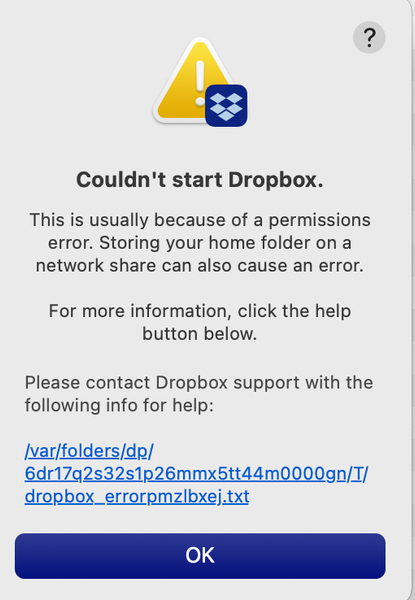
- 4 years agoThanks for providing the full error-log MikeLV.
Could you please try an advanced reinstall with admin privileges and let me know how it goes?
While at it, please make sure that there's no antivirus or firewall that might be causing issues.
Keel me posted with your progress!


MikeB2
4 years agoExplorer | Level 3
Lori,
Yes, the error persists after regular & advanced re-install, and reboots...

Megan Dropbox Community Moderator
4 years agoDropbox Community ModeratorHi MikeB2, thanks for the info!
Would it be okay for me to reach out to you via email, so we can have a closer look into this together?
Would it be okay for me to reach out to you via email, so we can have a closer look into this together?
- MikeB24 years agoExplorer | Level 3
Absolutely OK. I assume you can get my email from my account info...
 victoriabaum4 years agoExplorer | Level 4
Lori, et. al,
I can only get Dropbox to work from going directly to the website, I still cannot get the icon at top of the screen to enter.
I still get the same "Dropbox can't start" message upon start up.
Completely baffling and frustrating.
Thanks, everyone, for their assistance. I have taken all suggestions and directions, yet am still in this spot.
Victoria
- Megan4 years agoHappy Monday victoriabaum, I hope you're doing well!
Could you share the precise error with me?
You can obtain it by clicking on the blue link within the error message pop-up. This will open a file with the full text of the error.
Also, have you tried performing an Advanced re-install on your end?
Keep me posted.
About Apps and Installations
Have a question about a Dropbox app or installation? Reach out to the Dropbox Community and get solutions, help, and advice from members.
The Dropbox Community team is active from Monday to Friday. We try to respond to you as soon as we can, usually within 2 hours.
If you need more help you can view your support options (expected response time for an email or ticket is 24 hours), or contact us on X, Facebook or Instagram.
For more info on available support options for your Dropbox plan, see this article.
If you found the answer to your question in this Community thread, please 'like' the post to say thanks and to let us know it was useful!


