Your workflow is unique 👨💻 - tell us how you use Dropbox here.
Forum Discussion

mz5
5 months agoHelpful | Level 6
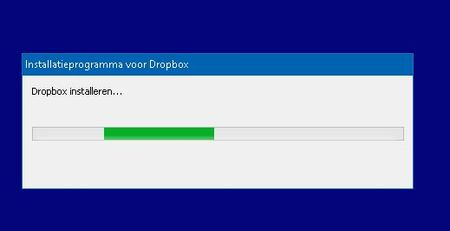
Dropbox required update, but update failed and so does clean install
Application Affected Dropbox Device HP Probook 650 Operating System/Browser (if using the web) Windows 10 Pro Dropbox App Version (if using the app) none at this moment, not able to install ...
 5 months ago
I get it, so no easy solution anywhere in sight. But thanks anyway for your efforts!
Dropbox has been providing an excellent solution to me for the last 6 or 7 years. Unfortunately now it seems the product quality has gone downhill and no longer forfills my needs so I have to move on. From my viewpoint as a customer, I need a simple solution that forfills my needs and that works. Not something that requires hours and hours of troubleshooting, and even if we would manage to get it to work now, I do not have a lot of fate anymore that the next update won't break it again.
I just installed another cloud storage product from one of your competitors, took me in total 2 minutes setup time and everything works like a dream straight away. Same price and my data stays in the EU, which is a bonus to me. So I'm happy.
I will end my Dropbox subsciption here, best of luck to you all!
mz5
5 months agoHelpful | Level 6
Maybe worth mentioning: Since I value the privacy of me and my customers, I have turned off as much as possible of all the data aquisition/advertising/store crap that microsoft implemented in W10-64. So I run a very basic windows installation. Can you list which Windows services the dropbox installer/updater relies upon so I can check if that is causing issues here?

Hannah Dropbox Community Moderator
5 months agoDropbox Community ModeratorThanks for the update on this, mz5.
Here you can find the minimum system requirements for the Dropbox desktop app.
But since this seems like an issue that might need to be looked into a bit further, I'd suggest reaching out to our support team.
They'll be able to access more account-specific info and assist you further.
Once you have your ticket number, please send it to us as well.
Thanks!
- mz55 months agoHelpful | Level 6
My system fulfills the minimum requirements, so that should not be the issue.
While scrolling through the registry, I did notice the new version tries to install a whole bunch of additional features such as backup, binder, external drive, passwords, paper, an office add-in, a lot of context menu handlers, autoplay event handlers and a zillion automatic update services. But I don't need or want any of this stuff. All I want is a simple app that keeps one folder on my pc synced with my cloud storage. How hard can it be.
I noticed there is a simplified version of the app for W7/8, any chance of using that on my W10 machine? That is the last thing I am willing to try. I will not be opeing tickets at the support team, it's been taking too much of my time already and I have other things to do. If the simplified version will not work, I will end my dropbox subscription after 6 years and start using a local backup solution on my own NAS instead.
- Hannah5 months ago
Thanks for getting back to me, mz5.
The simplified version wouldn't be available for your OS version, I'm afraid, but there is another version you can download from the Microsoft Store.
You can read about it, see if you're eligible to install it, and steps on how to install it here.
- mz55 months agoHelpful | Level 6
Hello Hannah,
thanks for your suggestion, but as I mentioned above, I run a very basic Windows. My windows is in fact installed without the use of a MS account, and I do not have or want such an account. All MS Store functionality is therefore disabled on my system. Any chance of downloading the version you mentioned directly from Dropbox?
About Apps and Installations
Have a question about a Dropbox app or installation? Reach out to the Dropbox Community and get solutions, help, and advice from members.
The Dropbox Community team is active from Monday to Friday. We try to respond to you as soon as we can, usually within 2 hours.
If you need more help you can view your support options (expected response time for an email or ticket is 24 hours), or contact us on X, Facebook or Instagram.
For more info on available support options for your Dropbox plan, see this article.
If you found the answer to your question in this Community thread, please 'like' the post to say thanks and to let us know it was useful!


