Your workflow is unique 👨💻 - tell us how you use Dropbox here.
Forum Discussion

robshookphoto
10 days agoNew member | Level 2
I can't move my Dropbox files to an external drive
2025 Macbook air m4
Dropbox v240.4.8493
I have 2tb in dropbox and I want it all on an external drive and Dropbox has no way to do this. I tried logging out and changing the storage location -...
robshookphoto
7 days agoNew member | Level 2
I meet the requirements as does my drive. I tried all that. It appears to work, and then when I login dropbox fails to open with an error message and the second time it opens the folder is back in library. I have also tried opting out of file provider and it errors too.
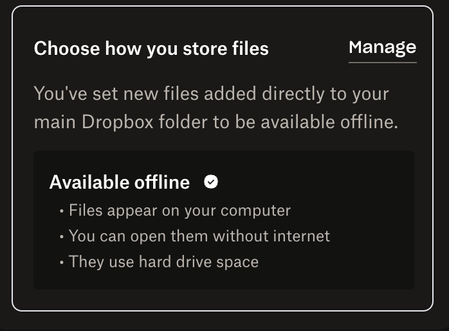
That's all fine - we can blame apple. But you didn't answer in your last paragraph why nothing is syncing to my computer. It doesnt work when I "check" the folders in preferences sync. It doesn't work when I right click the folder and select "make available offline". Both of these make the folder available but not the files within. In finder, clicking the little cloud icon also does not download the files contained within - only "ghosts" of them.
Has dropbox seriously decided that the way to download files to your device is to go into every single sub folder and click the cloud icon next to every file?
- Walter7 days ago
Dropbox Community Moderator
Hi robshookphoto - thanks for the additional details there.
May I ask if you've tried reinstalling the Dropbox desktop app at all since you first noticed this issue?
If you did and this persists, you can contact our support team directly for further assistance with account and device specific information as they'd be better equipped to look into this for you.
Keep us posted anyhow!

About Apps and Installations
Have a question about a Dropbox app or installation? Reach out to the Dropbox Community and get solutions, help, and advice from members.
The Dropbox Community team is active from Monday to Friday. We try to respond to you as soon as we can, usually within 2 hours.
If you need more help you can view your support options (expected response time for an email or ticket is 24 hours), or contact us on X, Facebook or Instagram.
For more info on available support options for your Dropbox plan, see this article.
If you found the answer to your question in this Community thread, please 'like' the post to say thanks and to let us know it was useful!


