Our Community is in read-only mode until April 8th, learn more here. You can still search existing threads or get help via Dropbox Support, the Dropbox Help Center, or Learn.
Forum Discussion

abance
6 months agoHelpful | Level 6
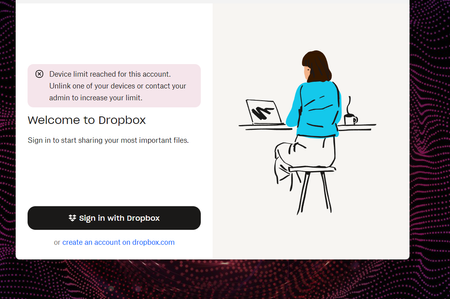
I'm trying to link my desktop app, but I get an error there are too many devices connected.
I got a new laptop and I'm trying to link this device to my work email dropbox but it won't link even after unlinking them on my account. it keeps saying that device limit has been reached but I've l...
 6 months ago
Hi Walter, apparently it was actually limited by the admin it is now all good I'm able to logged in Thank you for all the help
abance
6 months agoHelpful | Level 6
Hi Walter, apparently it was actually limited by the admin it is now all good I'm able to logged in Thank you for all the help

Theresa Community Manager
6 months agoCommunity ManagerHi abance and welcome to the Dropbox Community. I’m so glad to hear you were able to get your desktop app linked again and thank you for coming back to share that update. It’s always helpful for others who might hit the same device limit message ✨.
By the way, I’m Theresa 👩💻, one of the community managers here. Now that everything’s connected, I’d love to know... do you have a favourite Dropbox feature that makes things easier when switching between devices?
Looking forward to hearing from you,
T 😺 (Dropbox Community Manager)
About Apps and Installations
Have a question about a Dropbox app or installation? Reach out to the Dropbox Community and get solutions, help, and advice from members.
The Dropbox Community team is active from Monday to Friday. We try to respond to you as soon as we can, usually within 2 hours.
If you need more help you can view your support options (expected response time for an email or ticket is 24 hours), or contact us on X, Facebook or Instagram.
For more info on available support options for your Dropbox plan, see this article.
If you found the answer to your question in this Community thread, please 'like' the post to say thanks and to let us know it was useful!


