Your workflow is unique 👨💻 - tell us how you use Dropbox here.
Forum Discussion

LoveMyslf
7 years agoHelpful | Level 5
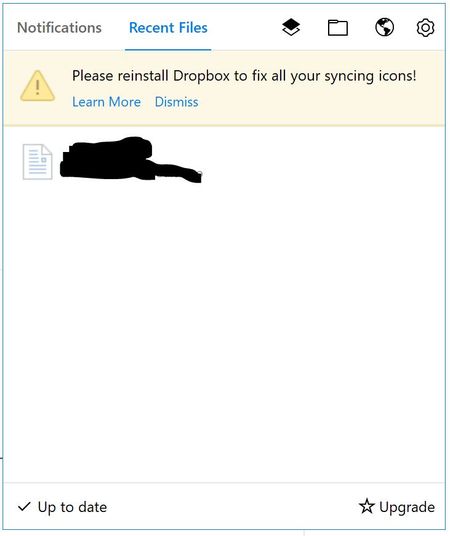
Please reinstall Dropbox to fix all your syncing icons!
This has been an issue for a while now. It's an issue on both my Windows 10 devices. I have tried different solutions from this forum, without luck. I'm running version 50.4.71, from the offline inst...
 7 years ago
Hey, I'm good now! The problem was the ShellIconOverlayIdentifiers as you describe it here: https://help.dropbox.com/syncing-uploads/icon-overlays-not-appearing
I hadn't seen the "dropdown" for Windows when I was first reading that page. Windows must have updated something or whatever Dropbox ended up on rank 16 ...
That's really annoying digging around in the registry. :(
Anyway, they are back.

nguenthanh
6 years agoNew member | Level 2
The same issue, anh it haven't fix at right now.

Jane Dropbox Staff
6 years agoDropbox StaffHey nguenthanh, have you by any chance had a chance to review the resource karnerkreativ had posted us in the previous page here that did the trick for him?
If you haven’t been able to resolve the issue at hand after following this set of steps, would you mind pinging me back here? Kindly note that it would be best to work on that through our Official Support channel after this point, so I’d appreciate any update on your end. Thanks in advance!
About Apps and Installations
Have a question about a Dropbox app or installation? Reach out to the Dropbox Community and get solutions, help, and advice from members.
The Dropbox Community team is active from Monday to Friday. We try to respond to you as soon as we can, usually within 2 hours.
If you need more help you can view your support options (expected response time for an email or ticket is 24 hours), or contact us on X, Facebook or Instagram.
For more info on available support options for your Dropbox plan, see this article.
If you found the answer to your question in this Community thread, please 'like' the post to say thanks and to let us know it was useful!


