Our Community is in read-only mode until April 8th, learn more here. You can still search existing threads or get help via Dropbox Support, the Dropbox Help Center, or Learn.
Forum Discussion

fredricstewart
3 years agoExplorer | Level 4
Problem with MacOs Ventura 13.0 on my MacBook Pro
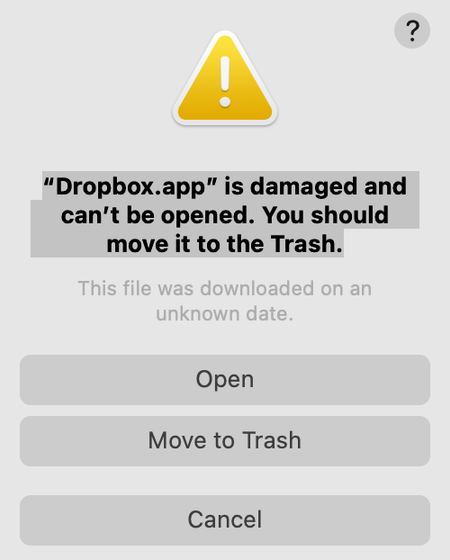
When my MacBook rebooted after upgrading to Ventura 13.0, I got this message:
“Dropbox.app” is damaged and can’t be opened. You should move it to the Trash.
I clicked on "Cancel" and put ...

fredricstewart
3 years agoExplorer | Level 4
Immediately after I clicked on the link that DropBoxer provided, the DropBox icon reappeared on my toolbar….and all was good again!

Dantep
3 years agoNew member | Level 2
I am also having this issue, and the installer does not open no matter what I do. Not even from the link that the drop boxer posted
- fredricstewart3 years agoExplorer | Level 4Dantep, I wish I knew something else to tell you other than that the solution worked for me. I’m sure that you have rebooted an led tried repeatedly. If I learn something else, I’ll let you know.
 plttvmt3 years agoNew member | Level 2
I have exactly the same issue, Dropbox "damaged", installer does not open. The issue appeared immediately after upgrading to Ventura on MacBook Pro 13" M2 2022.
About Apps and Installations
Have a question about a Dropbox app or installation? Reach out to the Dropbox Community and get solutions, help, and advice from members.
The Dropbox Community team is active from Monday to Friday. We try to respond to you as soon as we can, usually within 2 hours.
If you need more help you can view your support options (expected response time for an email or ticket is 24 hours), or contact us on X, Facebook or Instagram.
For more info on available support options for your Dropbox plan, see this article.
If you found the answer to your question in this Community thread, please 'like' the post to say thanks and to let us know it was useful!


