Our Community is in read-only mode until April 8th, learn more here. You can still search existing threads or get help via Dropbox Support, the Dropbox Help Center, or Learn.
Forum Discussion

ehud
3 months agoExplorer | Level 3
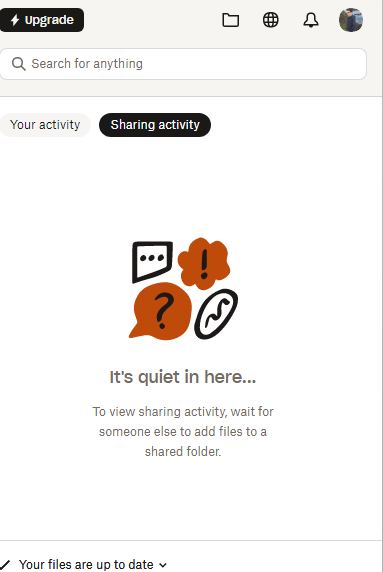
Sharing activity in the desktop app isn't working.
Hi Team,
Yesterday, for a reason that I am not sure of(the only thing we did, was add another user with access to a certain dir)...the "sharing activity" has stopped working...we are working on a s...

ehud
3 months agoExplorer | Level 3
Hi Megan,
Thanks for the reply!
- The syncing status is "your files are up to date".
- Version 238.4.6075 - windows 11
- Signed in using the same account on the dropbox site...I see all the files that have been updated by other members if I go the my dropbox directory on the comptuer...The "sharing activity" portion of the app just doesnt get updated. So I cant see "in real time" the latest files to have been updated in our shared folders(like I could up until yesterday).
- Regarding dropbox online, not sure where to look for notification?
Thanks!

Megan Dropbox Community Moderator
3 months agoDropbox Community ModeratorHey ehud, thanks for the update!
It might sound trivial but have you tried signing out of the app, and then back again?
As for your notifications online, you should be able to see them when clicking the bell icon usually located in the upper-right or left corner.
Can you send me a screenshot of that too? Thank you!
About Apps and Installations
Have a question about a Dropbox app or installation? Reach out to the Dropbox Community and get solutions, help, and advice from members.
The Dropbox Community team is active from Monday to Friday. We try to respond to you as soon as we can, usually within 2 hours.
If you need more help you can view your support options (expected response time for an email or ticket is 24 hours), or contact us on X, Facebook or Instagram.
For more info on available support options for your Dropbox plan, see this article.
If you found the answer to your question in this Community thread, please 'like' the post to say thanks and to let us know it was useful!


