Your workflow is unique 👨💻 - tell us how you use Dropbox here.
Forum Discussion

GS_Sunatori
1 month agoHelpful | Level 5
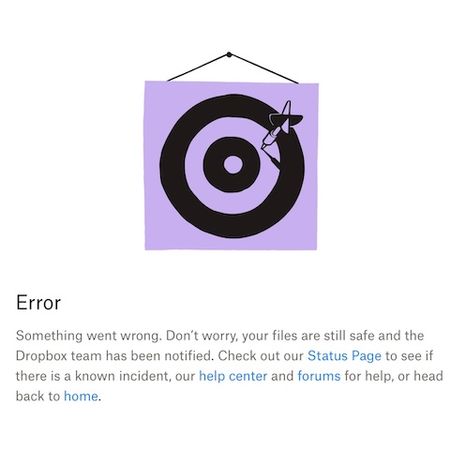
The "Contact support" page in the Dropbox Help Center results in an error message.
Device
MacBook Pro Operating System/Browser (if using the web)
macOS 26.2 Dropbox App Version (if using the app)
N/A Question or Issue
Clicking "Contact support" in Dropbox Help Cent...
 1 month ago
My cookie removal in Safari.app was not complete. This time, I removed all cookies starting with "dropbox", and "Contact support" functions now. Thanks!
GS_Sunatori
1 month agoHelpful | Level 5
I changed User Agent to many different browsers, but no difference.
- Nancy1 month ago
Dropbox Community Moderator
Hey GS_Sunatori, let me jump in here, too.
Can you also test this via an incognito window on your browser?
If that doesn’t work either, I can investigate this further.
- GS_Sunatori1 month agoHelpful | Level 5
My cookie removal in Safari.app was not complete. This time, I removed all cookies starting with "dropbox", and "Contact support" functions now. Thanks!
- Theresa1 month ago
Community Manager
Hi there GS_Sunatori , and welcome back to the Dropbox Community - it's always great to have you here. 😊
I just wanted to check in and see if you were able to get this sorted out. Running into an error message on the Contact Support page can definitely be frustrating, especially when you’re trying to get help quickly. I am glad to see your issue with contacting support is resolved.
I hope you got your original issue resolved. If not, please let us know we may be able to help you from here.
Looking forward to hearing from you,
T 😺 (Dropbox Community Manager)
- Mark1 month ago
Super User II
Dont use the user agent actually use a different browser (Chrome for example).


About Apps and Installations
Have a question about a Dropbox app or installation? Reach out to the Dropbox Community and get solutions, help, and advice from members.
The Dropbox Community team is active from Monday to Friday. We try to respond to you as soon as we can, usually within 2 hours.
If you need more help you can view your support options (expected response time for an email or ticket is 24 hours), or contact us on X, Facebook or Instagram.
For more info on available support options for your Dropbox plan, see this article.
If you found the answer to your question in this Community thread, please 'like' the post to say thanks and to let us know it was useful!


