We’re Still Here to Help (Even Over the Holidays!) - find out more here.
Forum Discussion

alexparker215
3 years agoExplorer | Level 3
Unable to use Dropbox Dash after installing
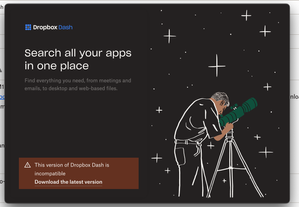
I just got a new Apple M1 Max laptop (coming from an Intel chip MacBook), and I can't get Dropbox Dash to work. I downloaded it from https://www.dropbox.com/dash/install, but when I start it, I get a...
- 3 years ago
Hi alexparker215, the issue should now be resolved, and you should now be able to download and install the newest version.
Please let me know if the issue persists.

alexparker215
3 years agoExplorer | Level 3
Hi, thanks for your response! I'm doing well.
My OS is MacOS Ventura 13.2.1.

Jay Dropbox Community Moderator
3 years agoDropbox Community ModeratorHi alexparker215, the issue should now be resolved, and you should now be able to download and install the newest version.
Please let me know if the issue persists.
- alexparker2153 years agoExplorer | Level 3
That worked! Thank you so much.
- Jay3 years ago
Glad to hear it! If you need any further assistance in the future, please let me know.
Enjoy the rest of your week!
About Dash Forum

Ask questions and get support on how to use Dash
The Dropbox Community team is active from Monday to Friday. We try to respond to you as soon as we can, usually within 2 hours.
If you need more help you can view your support options (expected response time for an email or ticket is 24 hours), or contact us on X, Facebook or Instagram.
For more info on available support options for your Dropbox plan, see this article.
If you found the answer to your question in this Community thread, please 'like' the post to say thanks and to let us know it was useful!


