Your workflow is unique 👨💻 - tell us how you use Dropbox here.
Forum Discussion

ZachF
4 months agoNew member | Level 2
Dropbox not authorizing access properly for third party app.
Application Affected Dropbox web app on phone Device Pixel 7 Operating System/Browser (if using the web) Windows 10 when on PC
Question or Issue Hello. I'm having a unique issue with Dropbox...
- 4 months ago
ZachF wrote:
If I go into my connected apps after this, drop box does actually appear as a connected app, but when I go back into war organ, it hasn't synced my files across so it's failing to authenticate properly.
This sounds like Dropbox is acting as it's supposed to, and authenticating the request, but War Organ is failing to handle the response correctly.
I say this because you can see that Dropbox has authenticated War Organ in your list of apps. Dropbox has done its part. War Organ is apparently not handling the response properly.
You'll probably need to contact the War Organ developer for assistance with this. There's very little that Dropbox can do when dealing with third-party applications. It's up to the developer of the third-party app to handle issues with the authentication and connection process as they're the ones that programmed it into their app.


Megan Dropbox Community Moderator
4 months agoDropbox Community ModeratorHey ZachF, welcome to our Community!
Can you walk me through the steps that you followed in order to connect War Organ to Dropbox?
When you access your account online, and then try to locate the third-party app in the Dropbox App Center are you successful? 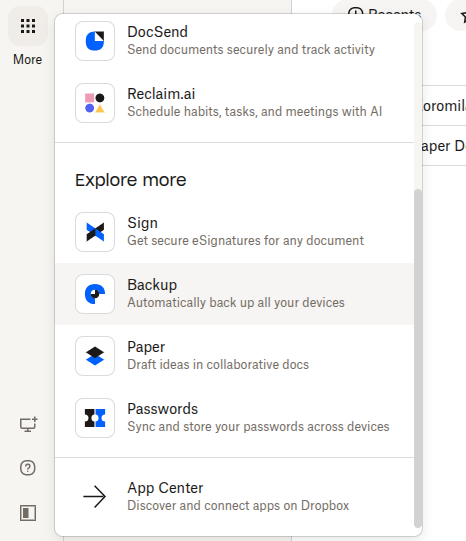
Feel free to send me a few screenshots if you have any, in order for me to have a visual of the situation you described.
Keep me posted, and we'll take it from there!
About Integrations
Get help with third-party integrations from the Dropbox Community.
The Dropbox Community team is active from Monday to Friday. We try to respond to you as soon as we can, usually within 2 hours.
If you need more help you can view your support options (expected response time for an email or ticket is 24 hours), or contact us on X, Facebook or Instagram.
For more info on available support options for your Dropbox plan, see this article.
If you found the answer to your question in this Community thread, please 'like' the post to say thanks and to let us know it was useful!


